45
RADIO
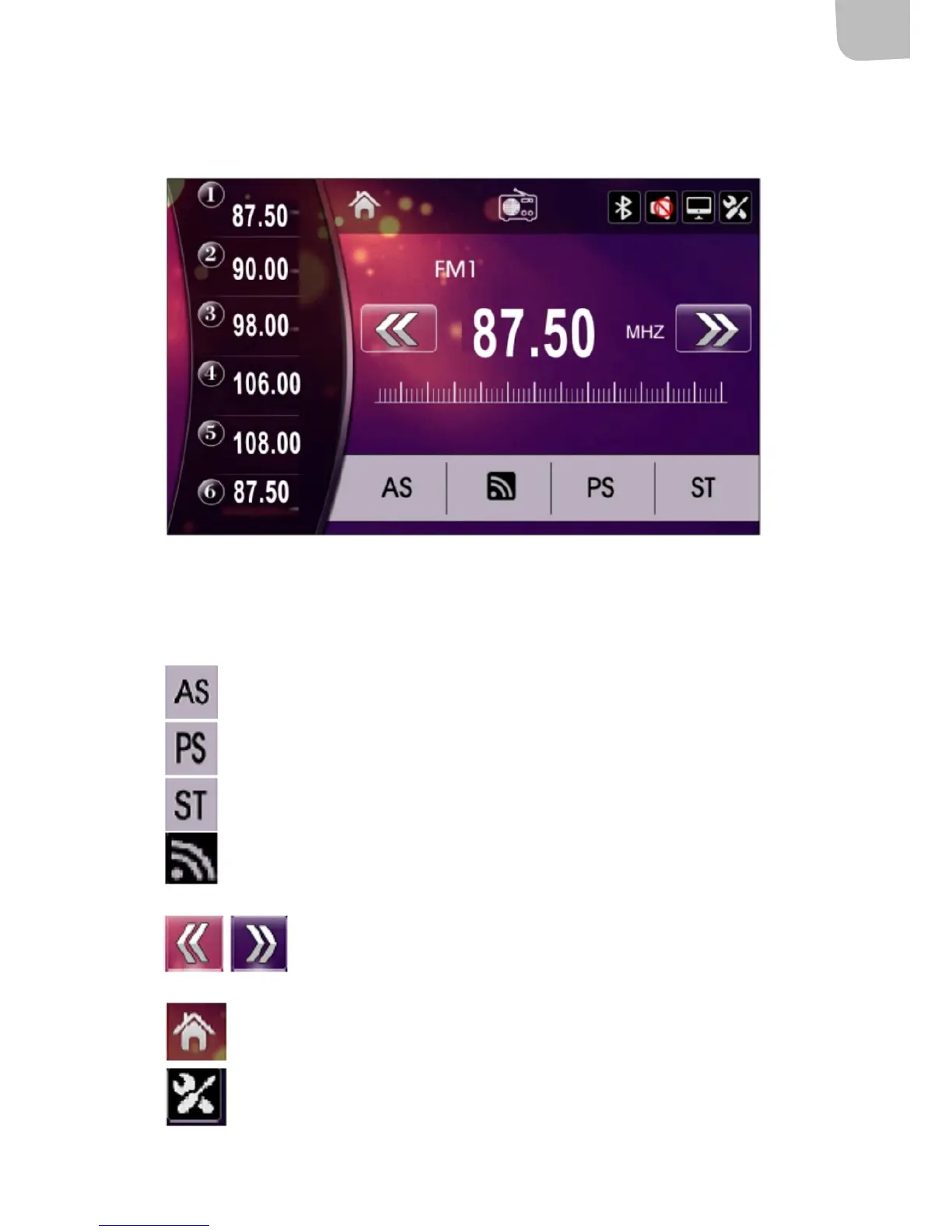
Press RADIO to switch to radio mode.
The radio screen shows frequency band and set frequency. Press FM1 to switch between FM2, FM3,
AM1 and AM2. The numbers 1-6 refer to the set radio channels and their frequencies.
Searches automatically for stations and saves them. Press the icon to start channel
scanning and to save channels.
Browse between saved channels.
Switch between mono/stereo.
Switch frequency band.
Press here to initiate automatic channel scanning.
Main menu
Multifunction selection


 To Next Page