Page 18
8.6 INPUTS SETTINGS
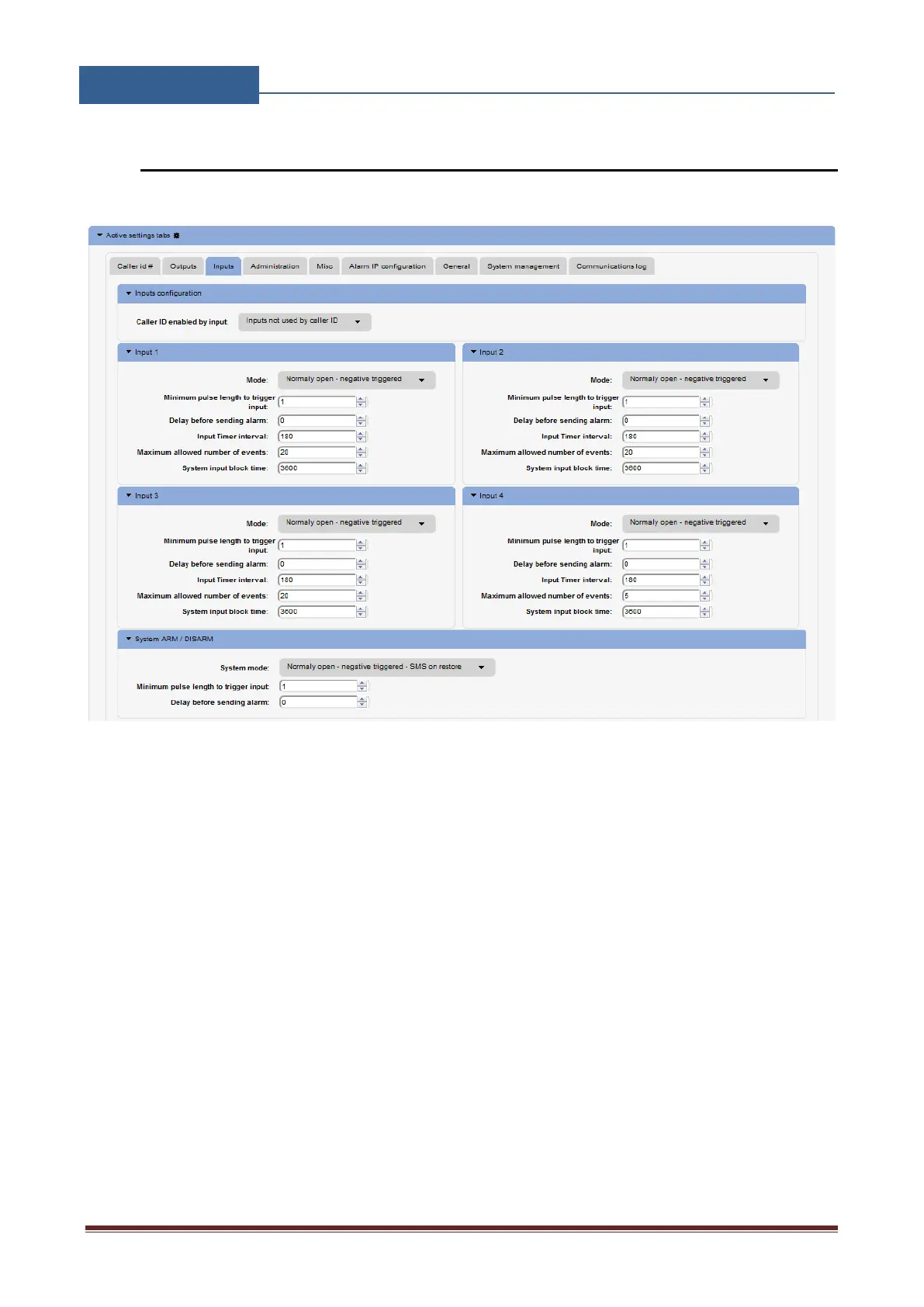
The behaviors on the inputs are defined in the Inputs tab.
Figure 10: WEB Server-Input setting
• Caller ID enabled by input: Defined input will be used as a precondition for Caller ID
function.
Input 1 - Settings for Input 1:
• Mode: User can select between different modes of input operation.
• Minimum pulse length to trigger input: Minimum time required to trigger alarm input (in
seconds).
• Delay before sending alarm: Defined delay (in seconds) before the alarm event is sending
out.
Input alarm filter definition parameters:
• Input timer interval: Input filter time window definition (in seconds)
• Maximum allowed number of events: Maximum number of event in input filter time
window.


 To Next Page