17
■
User-Definable Function Buttons
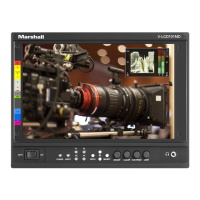
Use the Function 1 – Function 4 menu items to define each function button on the front panel of the monitor. The following
options are available for each button:
•Marker Enable and rotate amongst marker settings (choices depend on aspect ratio setting)
•Center Marker Enable/disable center marker
•Marker Enable Enable/disable screen markers
•Marker Backgrd Rotate amongst marker backgrounds
•IMD Display/hide IMD text
•Anc. Time Code Display/hide time code
•OSD Tally Rotate amongst types of OSD Tally
•Anc. Monitor Display/hide ancillary data presence indicator
•User 1-6 Load any of the 6 User Customizable presets
•Aspect Ratio Toggle between 4:3 and 16:9 aspect ratios
•Pixel to Pixel Toggle input scaling on or off
•CTemp / Gamma Load any of the 6 User Customizable presets
•Blue Only Toggle the Blue only mode on or off
• Monochrome Toggle Monochrome on or off
■ Saving and Loading User Presets
Use the SAVE CONFIG and LOAD CONFIG menus to save current settings to one of 6 presets, or load a preset. Each
Preset saves all monitor settings except for IMD configuration.
•Use the LOAD CONFIG menu to load one of presets USR1 – USR6. Factory default settings can also be loaded
by selecting MFG. (Factory defaults cannot be overwritten.)
•Use the SAVE CONFIG menu to save the current settings to a preset from USR1- USR6.


 To Next Page