20
■
Anc. Monitor
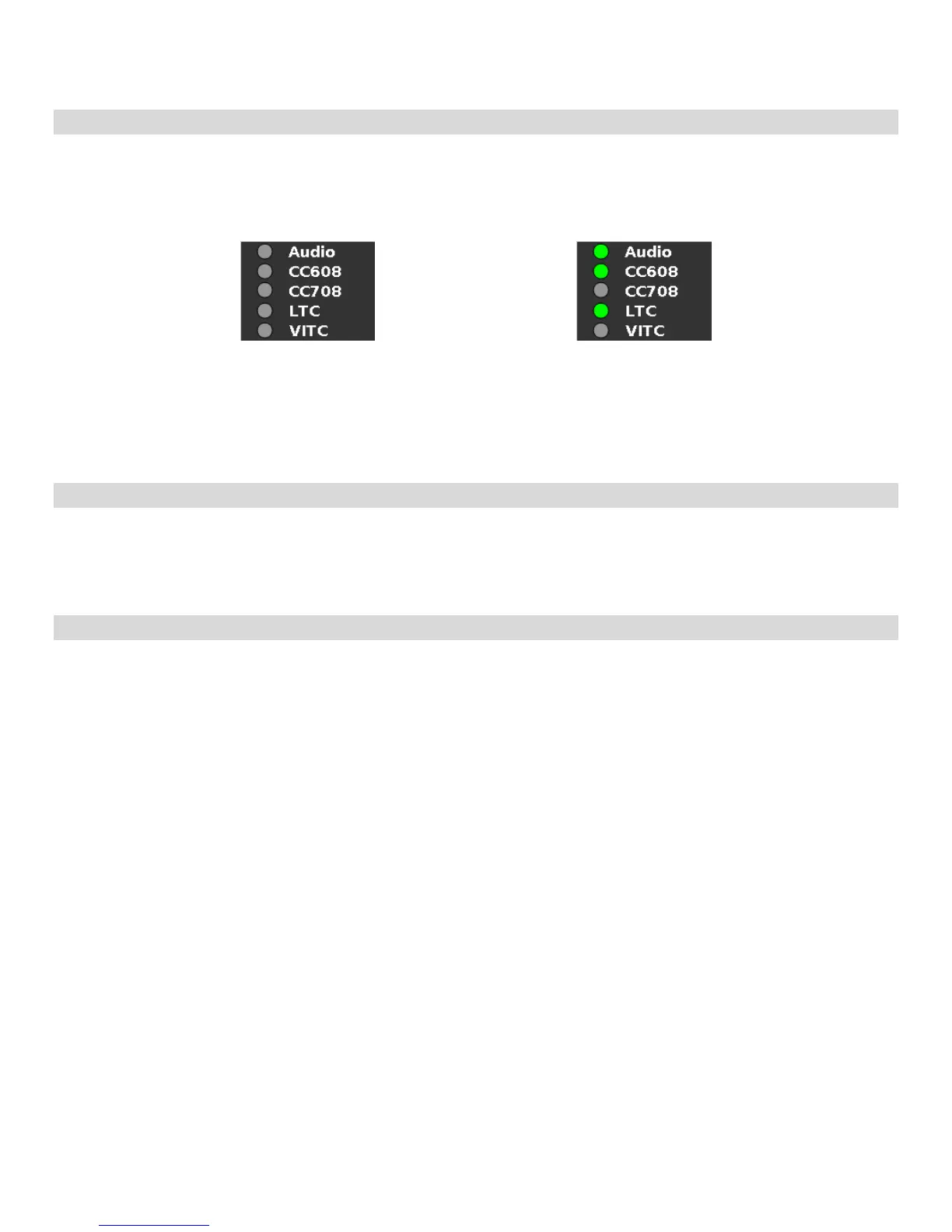
Use the Ancillary Monitor menu option to enable or disable on screen audio, closed caption and timecode presence
indicators. When enabled, Audio, CC608, CC708, LTC and VITC indicators are shown on the screen. A green circle will
appear next to each data type if it is present in the SDI stream.
■
Menu Timeout
Select how long the Menu will remain active on the screen. Choose between None (no Menu timeout) to 30 Seconds in
5 second increments.
■
Menu Background
Select the transparency of the Menu Background. Choose between Off (Menu background is completely transparent),
50% or Solid (video behind the menu cannot be seen).
Ancillary Monitor with input signal
with no ancillary data
Ancillary Monitor with input signal
with Audio, 608 CC and LTC
timecode.


 To Next Page