EasyManua.ls Logo

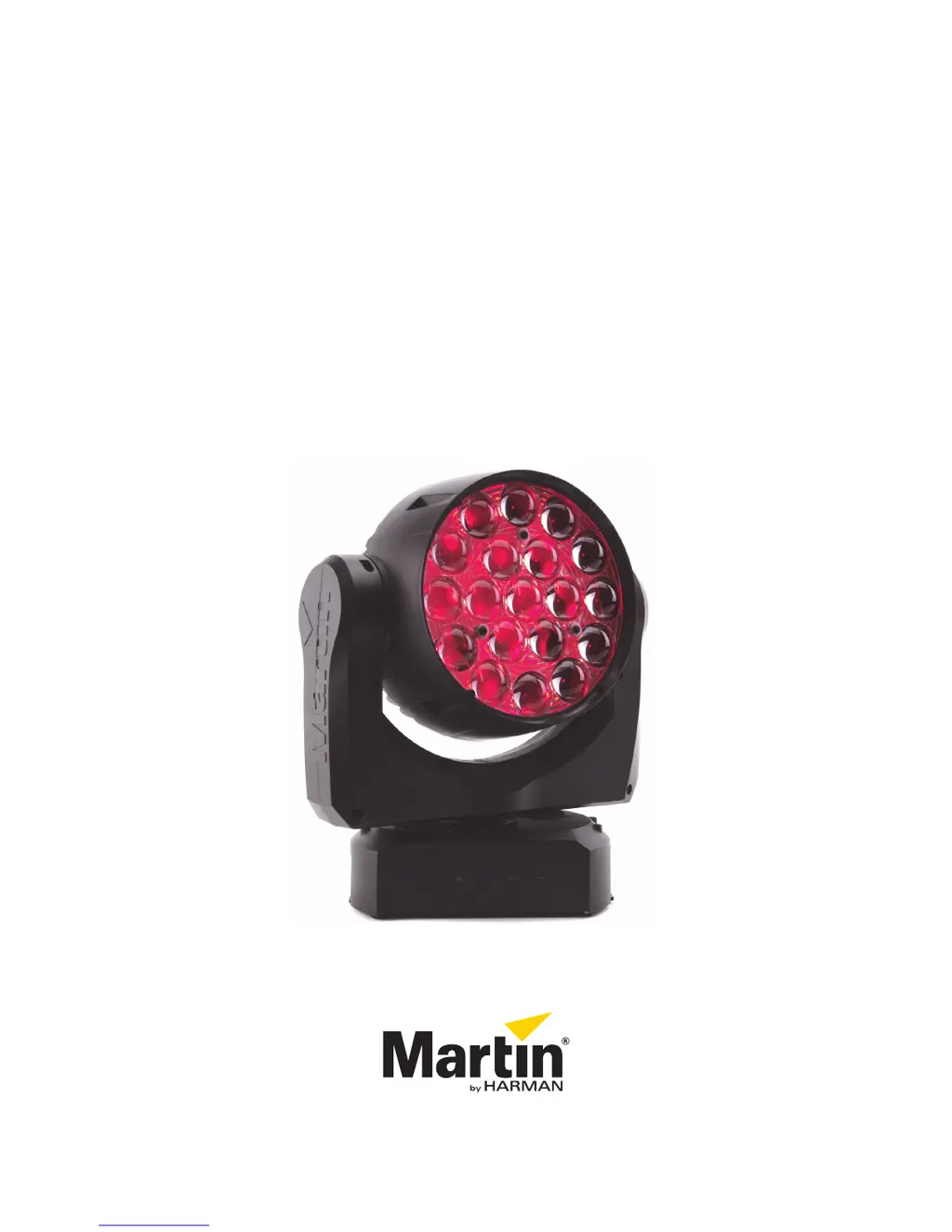
Martin MAC Aura XB - User Manual

Martin MAC Aura XB
40 pages
Print Icon
To Next Page IconTo Next Page
Loading...
MAC Aura XB
User manual
TM

Other manuals for Martin MAC Aura XB

Questions and Answers

  • B
    browngabrielAug 18, 2025
    What to do if Martin MAC Aura XB DJ Equipment fixture does not power up?
    • J
      Jerry SextonAug 18, 2025
      If your Martin DJ equipment fixture isn't powering up or resetting, the issue could be a blown fuse, a faulty PSU, or a faulty main PCB. Try replacing the fuse first. If that doesn't work, you may need to replace the PSU or the main PCB.
  • L
    Linda AndersonAug 20, 2025
    How to fix a fan error in Martin MAC Aura XB?
    • T
      Thomas McgeeAug 20, 2025
      If you're encountering a fan error with your Martin DJ Equipment, the problem might be a faulty fan or a faulty fan driver. You can try replacing the fan. If replacing the fan doesn't solve the issue, the main PCB may be faulty and require replacement.
  • A
    Ashley AlvaradoAug 23, 2025
    What causes a pan sensor error in Martin MAC Aura XB?
    • J
      Jesse BellAug 23, 2025
      A pan sensor error in Martin DJ Equipment can be caused by several factors. The absolute position might not be found, in which case you should check the sensor and its wiring, replacing the sensor if necessary. Alternatively, the belt may be worn out or not properly tightened; try tightening or replacing it. Finally, the motor could be faulty, so check the motor and its cable, replacing them if needed. Replacing the main PCB may also be necessary.
  • J
    Joshua ThomasAug 26, 2025
    How to troubleshoot tilt sensor error on Martin DJ Equipment?
    • R
      Robert PotterAug 26, 2025
      To troubleshoot a tilt sensor error on your Martin DJ Equipment, consider these potential causes: the absolute position might not be found, so check the sensor and its wiring, replacing the sensor if necessary. The belt could be worn or not properly tightened; try tightening or replacing it. The motor might be faulty, so check the motor and the motor cable, replacing them if necessary. Replacing the main PCB may also be necessary.
  • I
    Isabella GriffinAug 28, 2025
    Why does my Martin MAC Aura XB DJ Equipment show MAIN TMP SEN ERR?
    • J
      Jonathan GrantAug 28, 2025
      The 'MAIN TMP SEN ERR' message on your Martin DJ Equipment indicates that the main PCB is too hot, the communication wire between the main PCB and LED PCBs is faulty, or the main PCB itself is faulty. Try replacing the fan. If the issue persists, replace the wire harness (P/N 11860396) that goes from connector PL16 to PL39 on the LED PCB. If neither of these solutions works, consider replacing the main PCB.
  • K
    Keith MoonAug 30, 2025
    What does BEAM TMP SEN ERR mean on Martin MAC Aura XB DJ Equipment?
    • J
      Jacqueline JohnsonAug 30, 2025
      The 'BEAM TMP SEN ERR' message on your Martin DJ Equipment indicates a problem with the Beam LED PCB temperature sensor. This could be due to a faulty communication wire from the main PCB to the Beam LED PCB, the Beam LED PCB being too hot, or a faulty main PCB. Try replacing the wire harness (P/N 11860396) that goes from connector PL16 to PL39 on the LED PCB. If that doesn't resolve the issue, replace the Beam LED PCB or the main PCB.
  • D
    drossSep 2, 2025
    How to resolve AURA TMP CUT OFF error in Martin MAC Aura XB?
    • H
      Heather WilsonSep 2, 2025
      The 'AURA TMP CUT OFF' error in Martin DJ Equipment suggests that the Aura LED PCB has a temperature issue. This could be caused by a faulty communication wire from the main PCB to the Aura LED PCB, the Aura LED PCB being too hot, or a faulty main PCB. Replace the wire harness (P/N 11860396) that runs from connector PL16 to PL39 on the LED PCB side. If the problem continues, replace the Aura LED PCB or the main PCB.
  • T
    Timothy SellersSep 4, 2025
    What to do for a voltage error on Martin MAC Aura XB?
    • R
      Ruben WiseSep 5, 2025
      A voltage error on your Martin DJ Equipment could stem from the thermal switch in the LED heat sink being open circuit or +88 VDC not being supplied to the main PCB. Check the thermal switch and replace it if necessary. Also, check the +88 VDC wire and replace the wire harness (P/N 11860395) if needed.
  • A
    Aaron CampbellSep 7, 2025
    How to fix FBEP or FBET error on Martin MAC Aura XB DJ Equipment?
    • B
      Brian BartlettSep 7, 2025
      The FBEP or FBET error on Martin DJ Equipment can arise from several issues: a loose screw on the tacho wheel, damaged teeth on the tacho wheel, a faulty wire, a faulty sensor, a faulty main PCB, or a damaged or loose belt. Here are some steps to resolve the issue: * Tighten the screw on the tacho wheel. * Replace the tacho wheel if the teeth are damaged. * Replace the wire if it's faulty. * Replace the sensor if it's faulty. * Replace the main PCB if it's faulty. * Tighten the belt and replace it if necessary.
  • G
    Gabriel DouglasSep 9, 2025
    What to do if I get a BEAM CALIB ERR on my Martin DJ Equipment?
    • D
      Donald WallaceSep 10, 2025
      If you receive a 'BEAM CALIB ERR' message on your Martin DJ Equipment, it indicates that calibration values cannot be read from the Beam LED PCB. Check the communication wires from the mainboard to the Beam LED PCB and replace the Beam LED PCB, if necessary.

Summary

Safety Information

Safety Warnings and Symbols

Identifies warning symbols and critical safety alerts.

Electrical Safety Precautions

Details precautions against electrical hazards.

Fire and Burn Hazard Prevention

Outlines measures to prevent burns and fire hazards.

Eye Protection and Physical Safety

Advises on preventing eye damage and physical harm.

AC Power

Data Link

Physical Installation

Setup

Control Panel and DMX Settings

Navigating menus, setting DMX address, and modes.

Beam, Aura, and FX Control

Configuring beam, aura, and effect parameters.

Performance Adjustments

Adjusting pan/tilt speed, cooling, and dimming settings.

Operation and Effects

Service and Maintenance

Error Messages and Troubleshooting

Interpreting error messages and resolving issues.

DMX Protocol

FX: Pre-programmed Effects

Onboard Control Menus

Troubleshooting

Specifications

Operating & Assembly Instruction: powerCON TRUE1

Martin MAC Aura XB Specifications

General IconGeneral
Light SourceLED
LED Lifetime50, 000 hours
Pan540°
Tilt270°
ControlDMX, Art-Net, sACN

Related product manuals