3
UP
2
UP
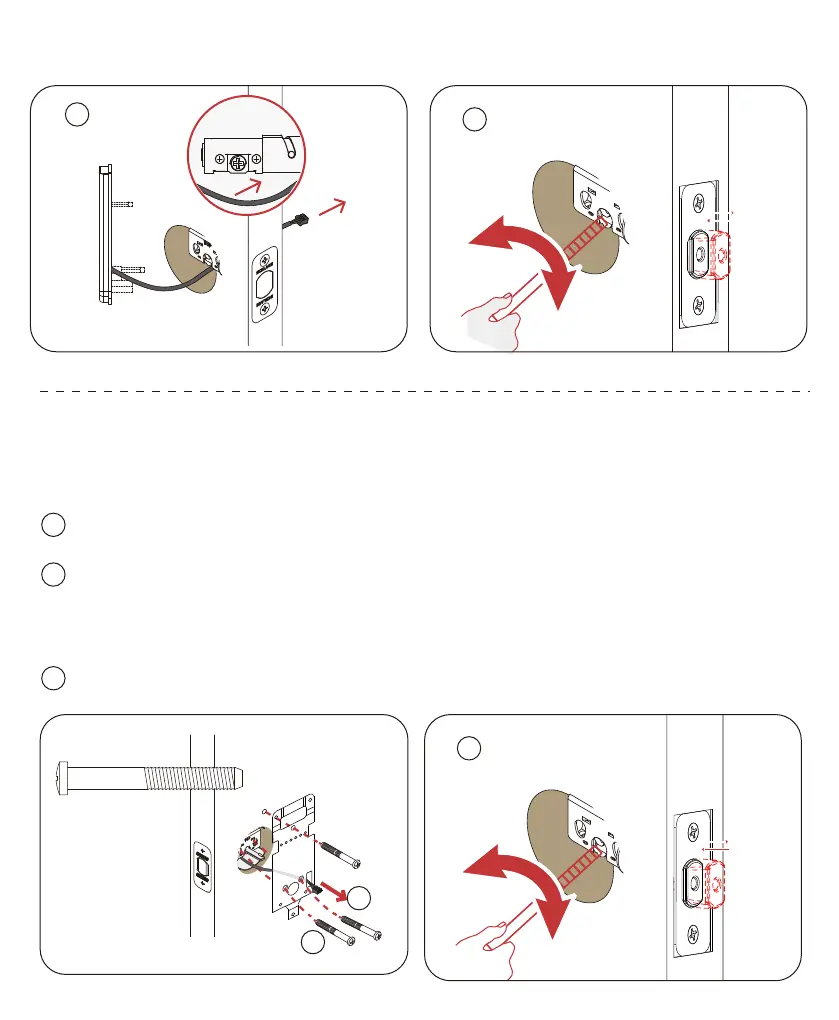
Step 4: Install the mounting plate
1
Run the cable through the rectangle hole on the right.
2
Screw: Mounting plate screw *3.
NOTE: Screw for Mounting Plate
M4 *20mm *3 for 35~40mm door thickness
M4 *30mm *3 for 40~50mm door thickness
M4 *40mm *3 for 50~60mm door thickness
3
Turn the “+”hole and ensure the deadbolt extend-retract smoothly.
1
2
3
UP









 To Next Page