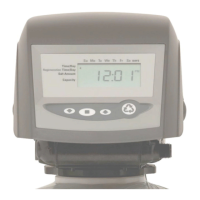
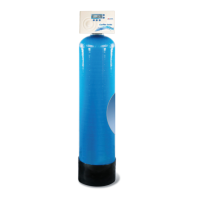
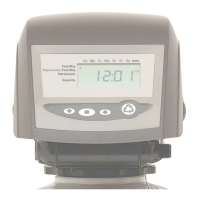
To Set the Simplus Timer follow the steps below:
Time of Day Setting
1) Press the SET button. The screen will show the Time of Day in
blinking numbers.
2) To change the Time of Day, use the UP or DOWN arrows.
3) Press the SET button.
Day of Week Setting
1) Press the SET button. The screen will show the Day of Week in
blinking triangle.
2) To change the Day of Week, use the UP or DOWN arrows.
3) Press the SET button.
Time of Regeneration Setting (the factory default is 1 AM)
1) Press the SET button. The screen will show the Time of
Regeneration in blinking numbers.
2) To change the Time of Regeneration, use the UP or DOWN arrows.
3) Press the SET button.
Regeneration Frequency Setting (the factory default is 3)
1) Press the SET button. The screen will show the Regeneration
frequency in blinking numbers.
2) To change the number, use the UP or DOWN arrows.
3) Press the SET button.
If you wish to regenerate on certain days of the week, do the
following:
a. First, do steps above, but set at zero.
b. Press SET button until you reach the day you wish
to regenerate.
c. Press the UP or Down arrows to set the day.
d. Press the SET button to lock the day in.
e. Repeat process to select the next day of
regeneration.
NOTE: The days of Regeneration will be highlighted on the
screen.



 To Next Page