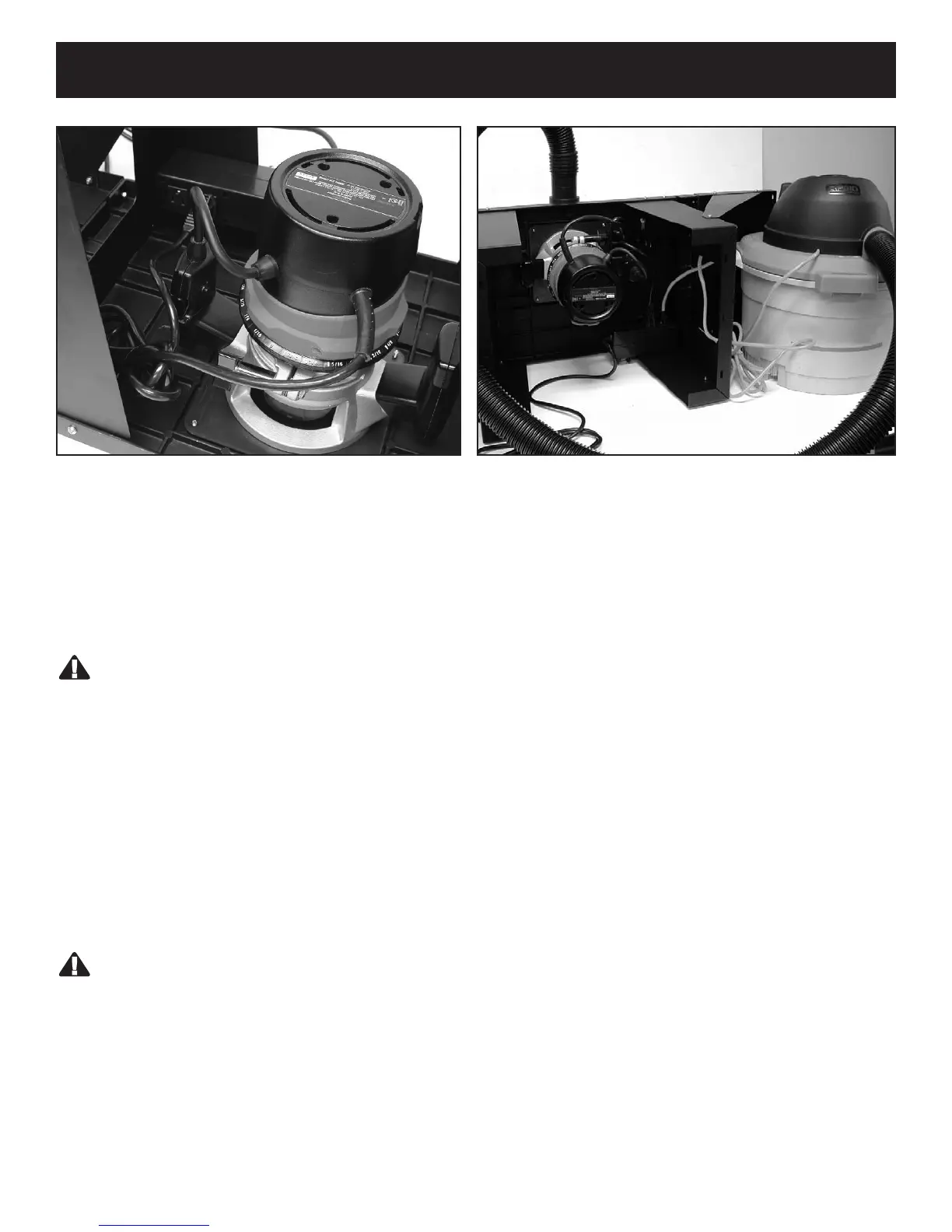
Attaching Router Power Cord to the Switch Box
Attaching Router Power Cord to the Switch Box
WARNING:
The switch box power cord must be UNPLUGGED from the electrical outlet before performing this procedure.
Failure to unplug the cord could lead to serious injury.
1. Flip the router switch box to the OFF position.
2. Plug the router power cord into one of the outlets on the switch box.
3. Loop the excess power cord and wrap two pieces of friction tape around opposite sides of the coil.
4. Leave enough slack so the cord can reach the wall socket without stretching.
5. Plug the power cord from an accessory you will be using, such as a wet/dry vac or light, into the
other outlet.
6. Plug the power cord from the router into the electrical outlet only AFTER the setup is completed.
WARNING:
The power cords from the router, the accessories, the switch box or any extension cord MUST NOT COME IN
CONTACT with the router or any moving parts of the router. Make sure they are out of the way of both the tool
and the work piece BEFORE turning the power switch on.
Plug router into the switch box. Make sure to secure
left over cord away from moving parts.
Attach wet/dry vacuum to router table. Be sure that all
cords are secured away from moving parts or
components.
16


 To Next Page