17
Operating the Switch Box
Operating the Switch Box
1. Make sure the switch on the router is turned ON (It maybe necessary to leave router in the lock on position)
and the switch box lever is in the OFF position.
2. Plug the switch box power cord into the electrical outlet.
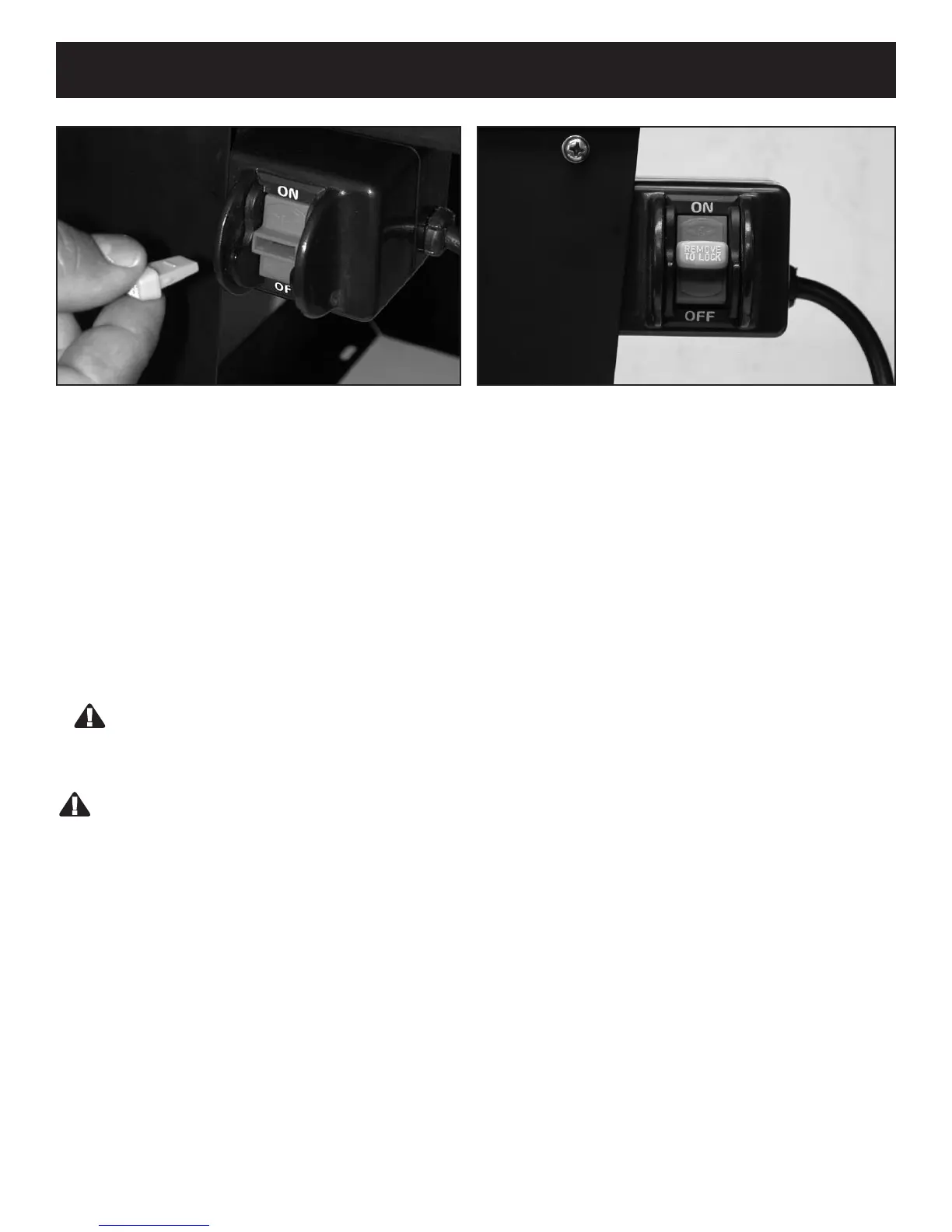
3. Insert the safety key into the switch box.
4. To turn router ON, flip switch box lever to the ON position.
5. To turn router OFF, press switch box lever to OFF.
WARNING: NEVER leave router UNATTENDED until it has come to A COMPLETE STOP.
6. To lock the switch box in the OFF position, remove the safety key.
WARNING:
For your own SAFETY and the SAFETY OF OTHERS, make sure the router table is secure when not in use:
1. Flip the switch box lever to the OFF position and remove the safety key.
2. Unplug the switch box power cord from the electrical outlet.
3. Turn the router OFF.
4. Remove the router bit from the router.
5. Make sure the router collet assembly is below the top of the router table.
6. Store the switch box safety key out of the reach of children.
In the event of a power failure, blown fuse, or the router “stalling out” while routing:
1. Turn the router OFF by pushing the switch box lever to the OFF position.
2. Remove the safety key from the switch box.
3. UNPLUG the switch box cord from the electrical outlet until the source of the problem has been corrected.
Removable Safety Key prevents accidental switching
“on” of Router.
Switch box On/Off positions with removable safety key
inserted.


 To Next Page