USE OF MASTERADJUST SOFTWARE
EN / MasterBus - USB interface / September 2008 7
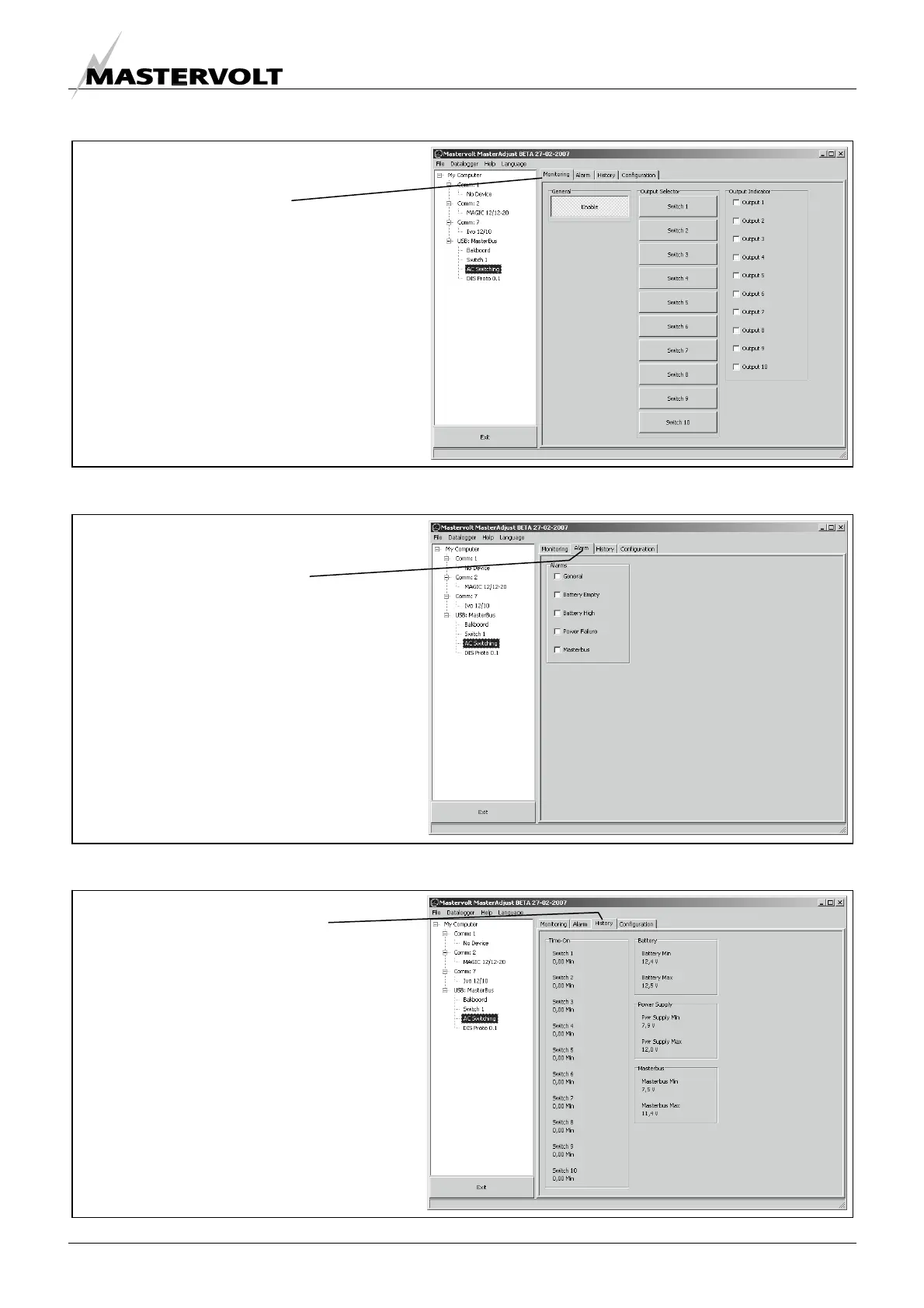
4.2 MONITORING
4.3 ALARMS
4.4 HISTORY
Click on the “History” tab
To know the history of your electrical
system can be very useful.
It will help you to check if all connected
devices have worked properly in the past.
Most of the displayed data is read-only.
Figure 10
At “Alarms” you can monitor the alarm
function of the selected device.
An alarm may occur when one of the
measured parameters is out of range.
Refer to user’s manual of selected
device for explanation.
The displayed data is read-only
Click on the “Alarms” tab
Figure 9
“Monitoring” shows the actual measured
data of the selected device.
Refer to user’s manual of selected
device for explanation of the measured
values.
Click on “Monitoring”
Figure 8


 To Next Page