Matrox D-Series – User Guide 11
Interconnecting multiple graphics cards (Framelock)
If you have multiple Matrox D-Series graphics cards installed in your system, you can
framelock your outputs by interconnecting your graphics cards with a ribbon cable. You can
interconnect four (4) Matrox D-Series graphics cards.
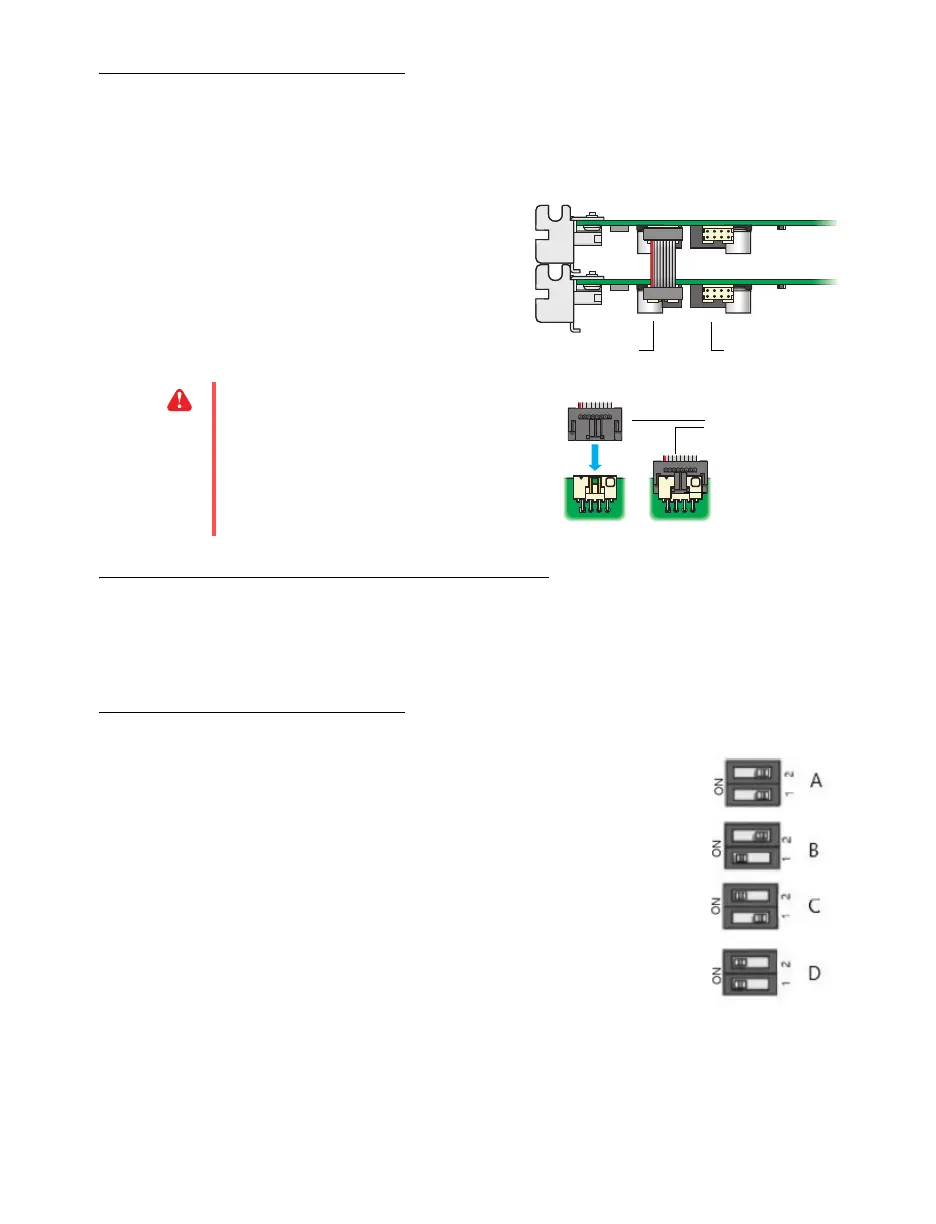
Attach the ribbon cable to the connector
labeled
J5
or
J6
on one card and to the
connector with the same label on the next
graphics card.
Setting the DIP switches on your D-Series cards
If you’re setting up your D-Series based display wall for the first time, review this section
before you begin.
Setting the order for multiple D1450 or D1480 cards
The DIP switches on your D-Series output cards are used to
control the order in which the GPUs of your cards are used.
Setting the DIP switches is useful if you’re setting up a large
display wall layout that uses multiple cards
.
Ordering the output connectors enables PowerDesk software to
properly lay out the outputs of your display wall and avoids you
having to manually set up your multi-display layout.
The default position of the DIP switch on your D-Series card is as
shown in A in the diagram.
WARNING:
To make sure the cable is
inserted properly, the cable edge marked
with a red line should be closest to the
bracket.











 To Next Page