Chapter 3
with a set of default values. Press F7 to install the setup utility with
a set of high-performance values.
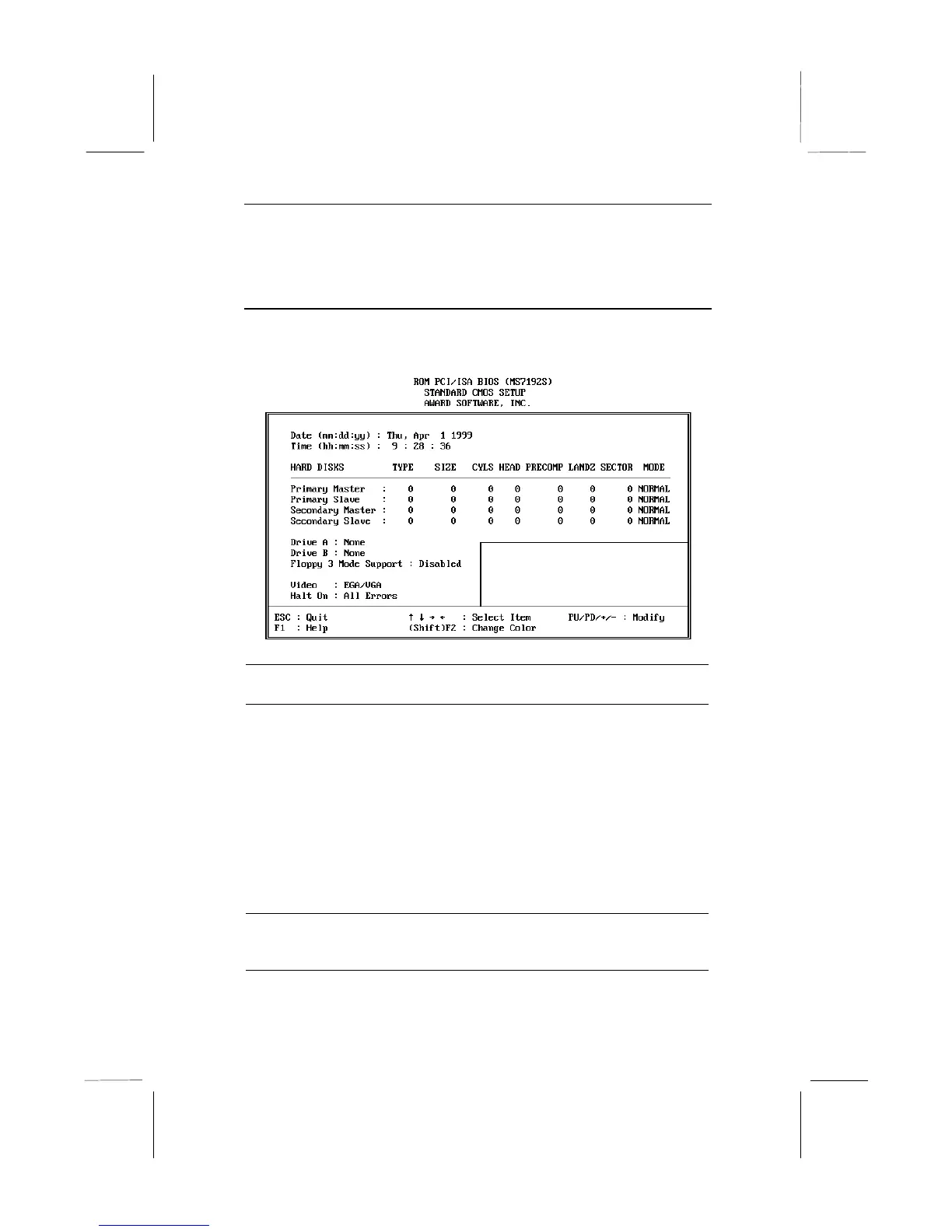
Standard CMOS Setup Page
Use this page to set basic information such as the date and time, the
IDE devices, and the diskette drives.
Date & Time
Use these items to install your system with the
correct date and time
Primary Master
Primary Slave
Secondary
Master
Secondary Slave
These items show the characteristics of any hard
disk drives on the four available IDE channels.
(Note that SCSI hard disk drives do not appear
here.) You can automatically install most modern
hard disks using the IDE HDD Auto Detect
Option from the main menu. However, if you find
that a drive cannot be automatically detected,
you can use these items to manually enter the
characteristics of the drive. The documentation
provided with your drive provides the data you
need to fill in the values for CYLS (cylinders),
HEAD (read/write heads), and so on.
Floppy Drive A
Floppy Drive B
Use these items to set the size and capacity of
the floppy diskette drive(s) installed in the
system.















 To Next Page