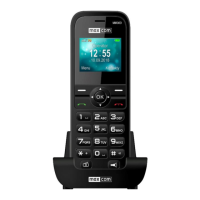
To enable the radio, in MENU select: Radio FM. To
switch on/off the radio, press the key OK. If the option:
Play in background is enabled, prior to switching off the
radio press OK to stop playing it, and then press the red
receiver key. Otherwise, the radio will keep playing.
Key functions while playing the radio:
• RIGHT: it automatically searches for next radio
station
• LEFT: it automatically searches for the previous
radio station
• UP: increases frequency by 0,1 MHz
• DOWN: decreases frequency by: 0,1 MHz
• #: volume up
• *: volume down
• Red receiver: going back to menu
• Keys 1 – 9: selecting the radio station from the list
of channels (must be stations that are saved in the
phone).
To enable playing the radio via speakerphone (while
headphones are connected), in Radio FM settings
select Speakerphone.
Warning: Quality of reception depends on your
location. Such quality might be influenced by
numerous factors that might cause poor quality of
reception; it is not, however, grounds for filing a
complaint about the product.



 To Next Page