6 MFMAXDATA PLATINUM 200 ISetting up the System
Connecting the System
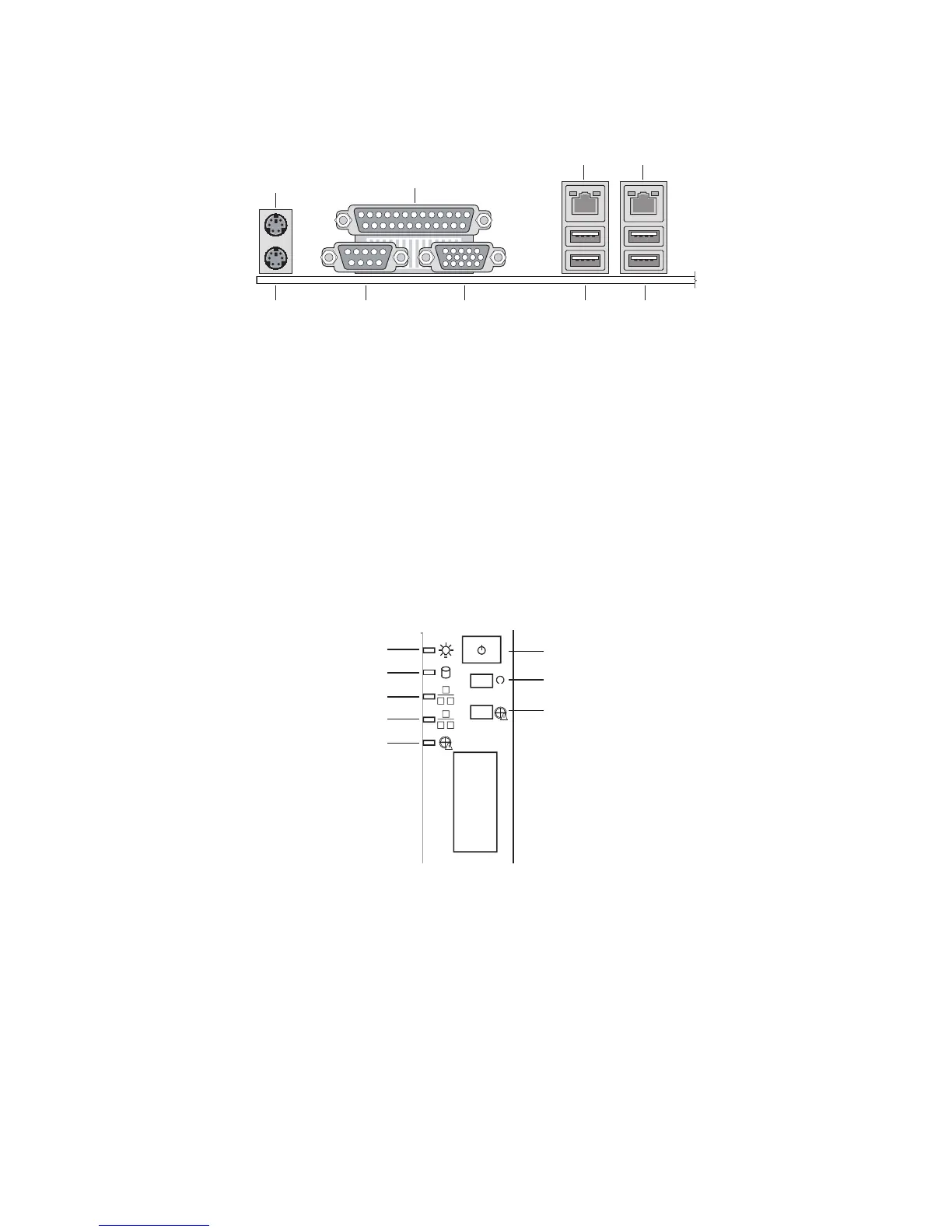
Rear Connectors
A. Mouse F. Serial Port A
B. Parallel port G. Video
C. Intel
®
82551qm (10/100) H. USB 0, 1
D. Marvell* 88E8050 (Gigabit)
I. USB 2, 3
E. Keyboard
Powering up the System
At the front of the case, you can find the necessary controls like power button, reset button and the
HDD Leds. Press the power button one time briefly in order to boot the server.
A. Power LED E. Fan Warning LED
B.
HDD LED F. Power switch
C. NIC2 LED G. Reset switch
D.
NIC1 LED H. Disable Fan Warning



 To Next Page