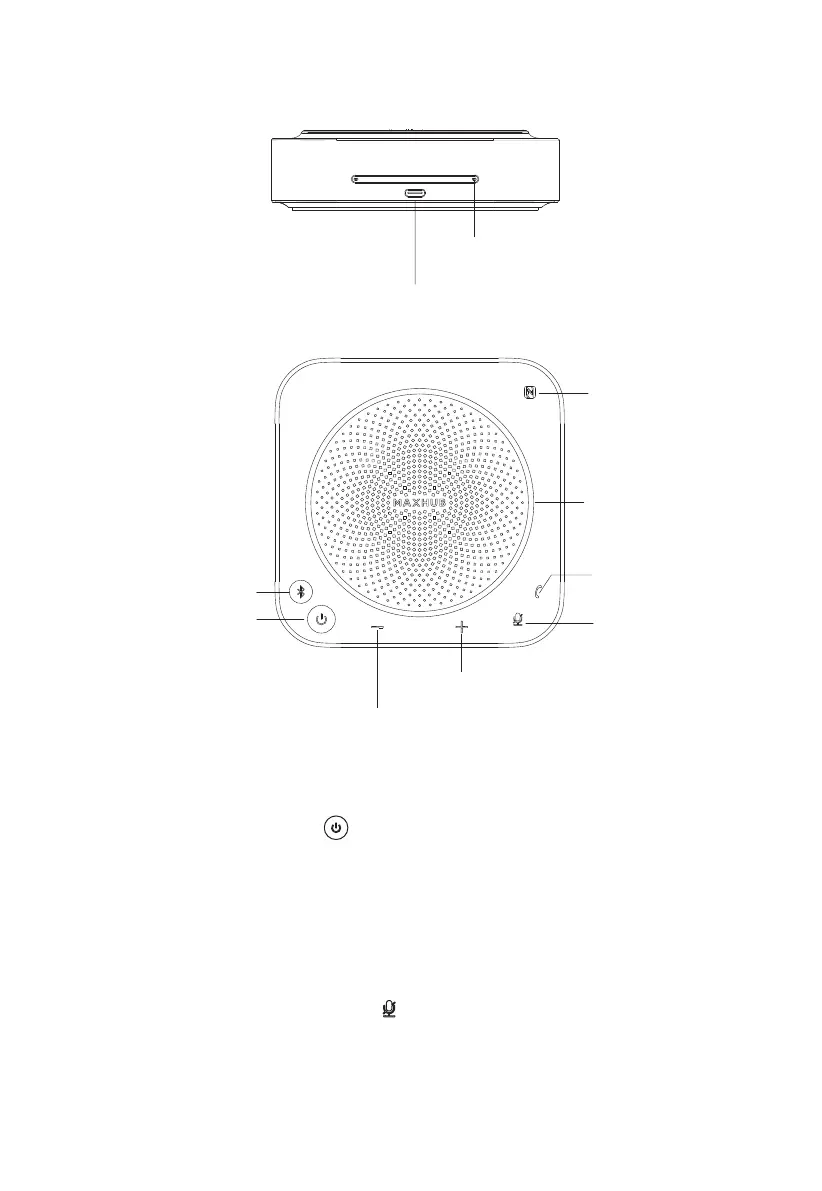
(1) Power on/off the device
Press and hold the power button " " for 2s to turn the speakerphone on or off.
(2) Volume adjustment
Press the volume "+" and volume "-" buttons to increase or decrease the volume accord-
ingly.
(3) Mute / Unmute Microphone
Short Press the microphone mute button " " to turn the microphone on or off, red means
the microphone is off, and white means the microphone is on.
(5) Bluetooth pairing
(1) Power on/off
(2) Volume down button
(2) Volume up button
(8) USB Type-C port
(9) Microphone (8 array microphone)
(4) Call/hang up
(6) NFC
(7) Volume / Battery
Level Indicator
(3) Mute
5. Product Appearance
4



 To Next Page