6. How to Connect
6.1 Support for multi-device connections
BM35 support simultaneous connection to devices that support USB, Bluetooth or NFC
pairing, and up to three devices can be connected at the same time. Please refer to the
following connetion methods on how to connect the Speakerphone to audio conferencing
devices.
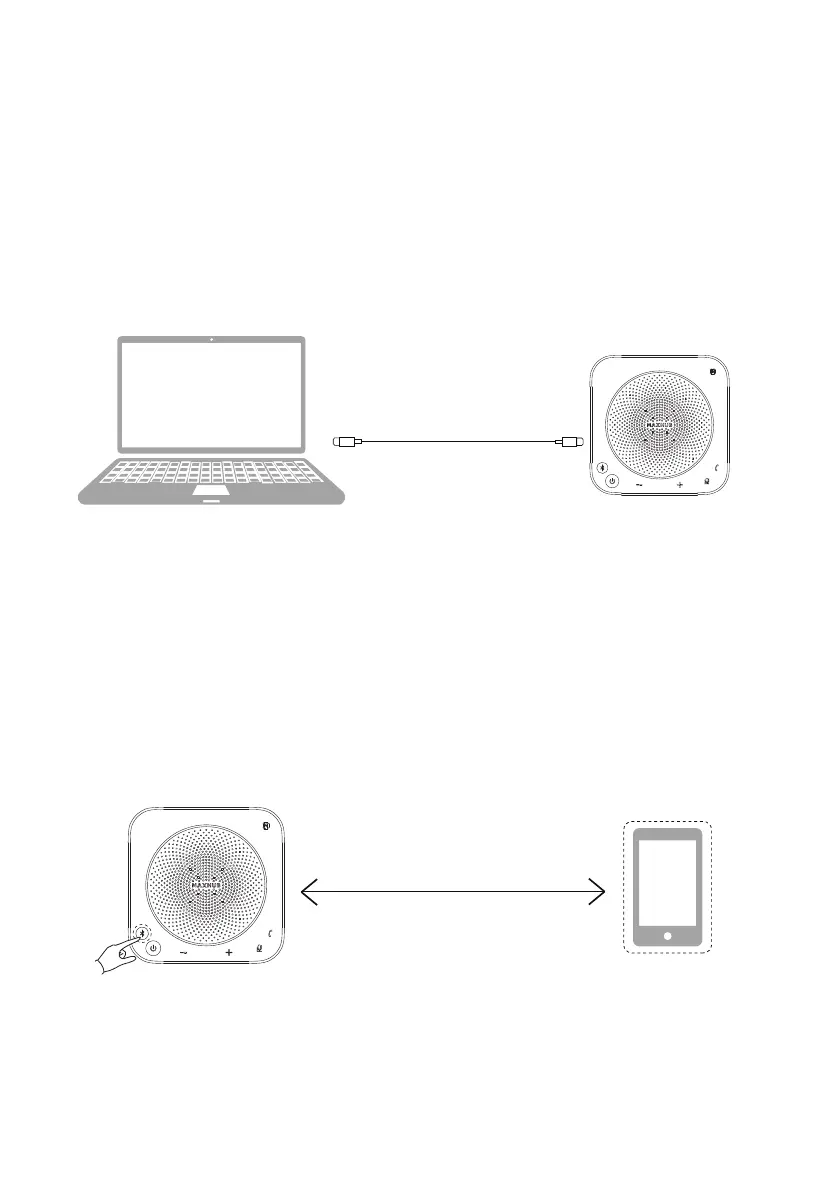
Method 1: USB cable Connection
USB cable connection
•Connect the computer/Interactive Display (Windows or Mac) to the device through a USB
cable; Your system will detect the Speakerphone automatically, please choose MAXHUB
UC BM35 as speaker and micropohne source.
Method 2: Bluetooth Connection
① Press and hold the Bluetooth button for 2s
② Turn on the Bluetooth function on the mobile phone or other devices, and select to
connect to the device from the Bluetooth device list.
·Use Bluetooth to connect the device directly.
① Press and hold the Bluetooth button for 2s, the Bluetooth indicator flashes, indicating that
the device is in the Bluetooth pairing state.
Wireless connection Bluetooth
6



 To Next Page