② Turn on the Bluetooth function on the mobile phone or other devices, and select
MAXHUB UC BM35 from the Bluetooth device list.
Notes: USB Bluetooth dongle is recommended to connect with Interactive Display to ensure
the stability of the Bluetooth connection.
Method 3: Dongle Connection
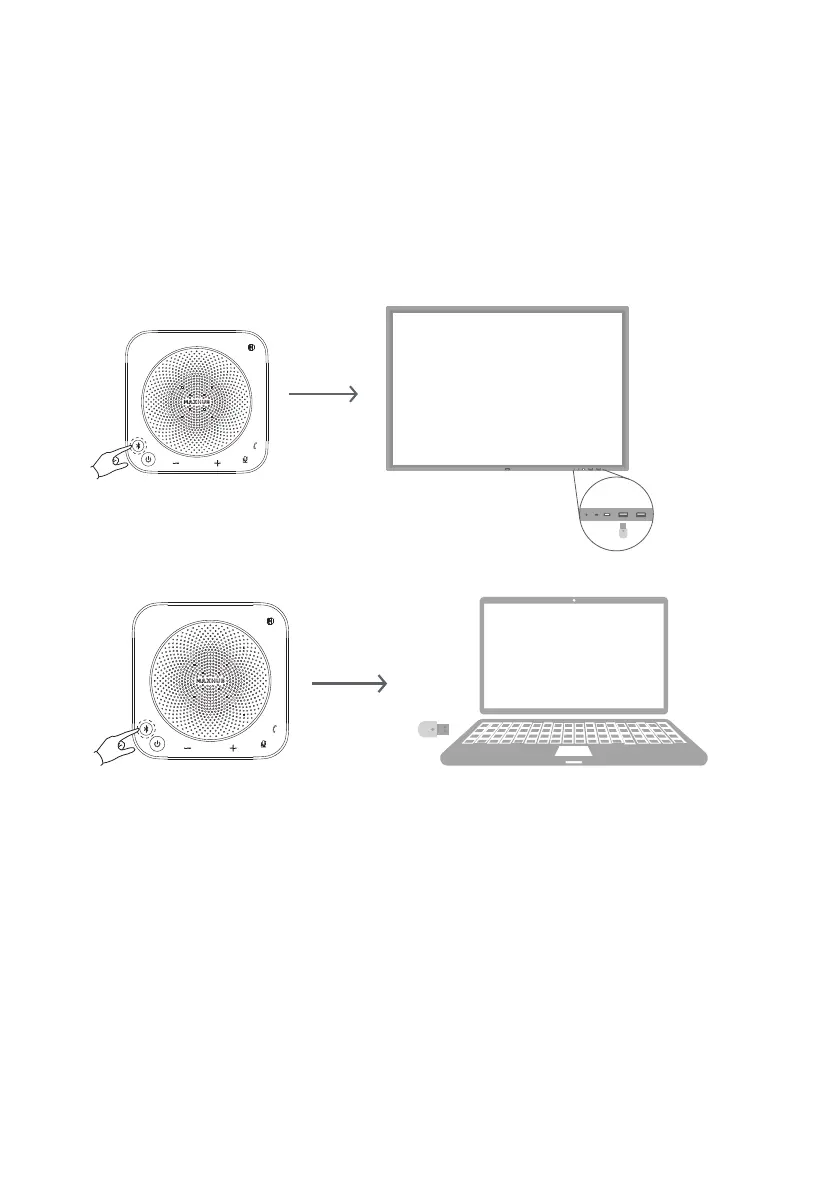
① Insert the USB Dongle into the USB port of the computer/ the USB port on the front of the
Interactive Display.
·Use USB Dongle to connect the device (support Win7/8/10/11, MacOS) as follows:
① Insert the USB Dongle into the USB port of the computer (if the USB Dongle is connected
to the Interactive Display, please insert it into the USB port on the front of the Interactive
Display to ensure the best use coverage ), the USB Dongle will automatically connect to the
Speakerphone (Pairing in done automatically).
Note: After the Speakerphone is connected to the computer/Interactive Display, you need to
set the device as the default playback device and recording device on the computer/Interac-
tive Display sound setting interface.
② Press and hold the Bluetooth button for 9s to pair dongle.
7



 To Next Page