7. Meeting Room Use Cases
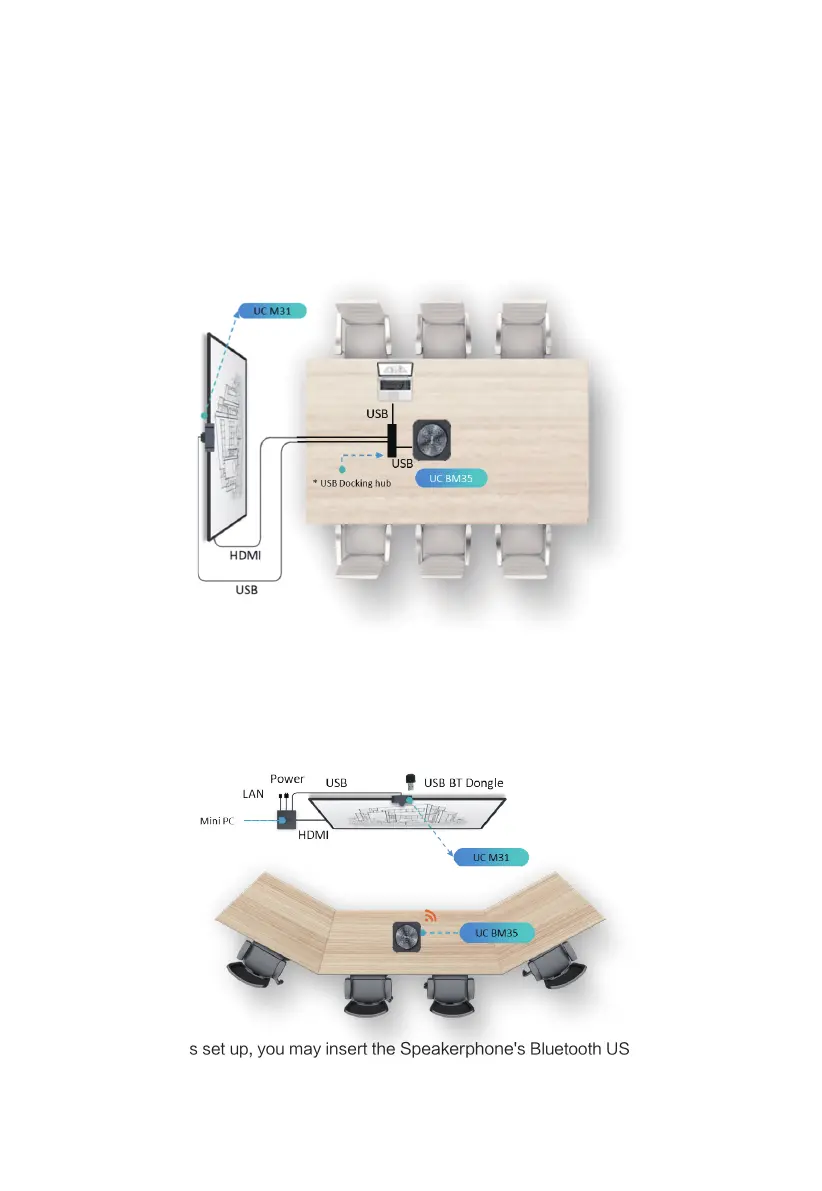
7.1 Bring-Your-Own-Device (BYOD) Meeting Room Set Up
·UC BM35 is a plug-and-play speakerphone that is compatible with common UC
applications.
You can combine with a USB docking hub that links up with USB Camera, HDMI Display
and power to complete a single cable BYOD video conferencing set up to a laptop or Mac,
as illustrated in the diagram below.
Note: USB Docking Hub is a 3rd party product that supports multiple USB ports and HDMI
out for display.
7.2 Meeting room with In-room PC Set UP
Note: For wireless set up, you may insert the Speakerphone's Bluetooth USB Dongle into the
in-room PC or to the USB-A pass-through port at the back of the
Speakerphone panoramic
camera.
10



 To Next Page