Method 4: NFC connection
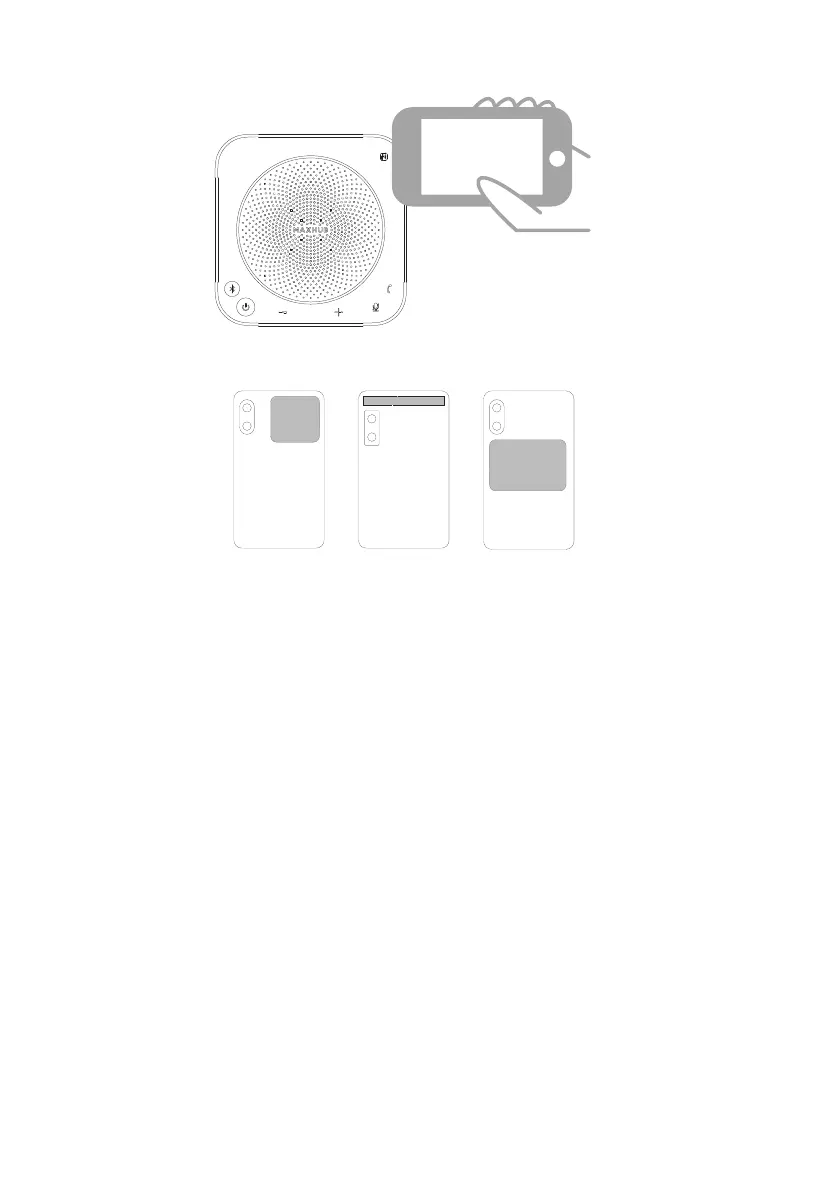
The following picture shows the location of the mobile phone NFC tag.
·Use "NFC" function to connect to the speakerphone
① Enable the NFC function in the system settings of the mobile phone.
② Align the NFC sensing area of the mobile phone with the NFC tag of the speakerphone
and touch it.
③ Touch for no less than 2 seconds; if there is no response to the touch, please try again.
Notes:
-It is not recommended to use the NFC function if the speakerpohone is in wireless
cascading mode.
-Please make sure the Bluetooth is turned on.
-This function is only available for some Android phones with NFC function.
8



 To Next Page