EasyManua.ls Logo

Maximum S-600 FTA - User Manual

Maximum S-600 FTA
116 pages
Print Icon
To Next Page IconTo Next Page
Loading...
English User manual
Deutsch Bedienungsanleitung
Dansk Brugervejledning
Svenska Användarhandbok
MAXIMUM S-600 FTA
MAXIMUM
S-600 FTA
#7971

Table of Contents

Questions and Answers

Summary

Introduction to the Receiver

Important Safety Precautions

Safety precautions for operating the receiver to prevent hazards and ensure correct use.

Product Compliance Certification

Product Compliance Information

Details the product's conformity with relevant directives and standards.

General Receiver Information

Key Features and Package Contents

Outlines the main functions and items included in the receiver package.

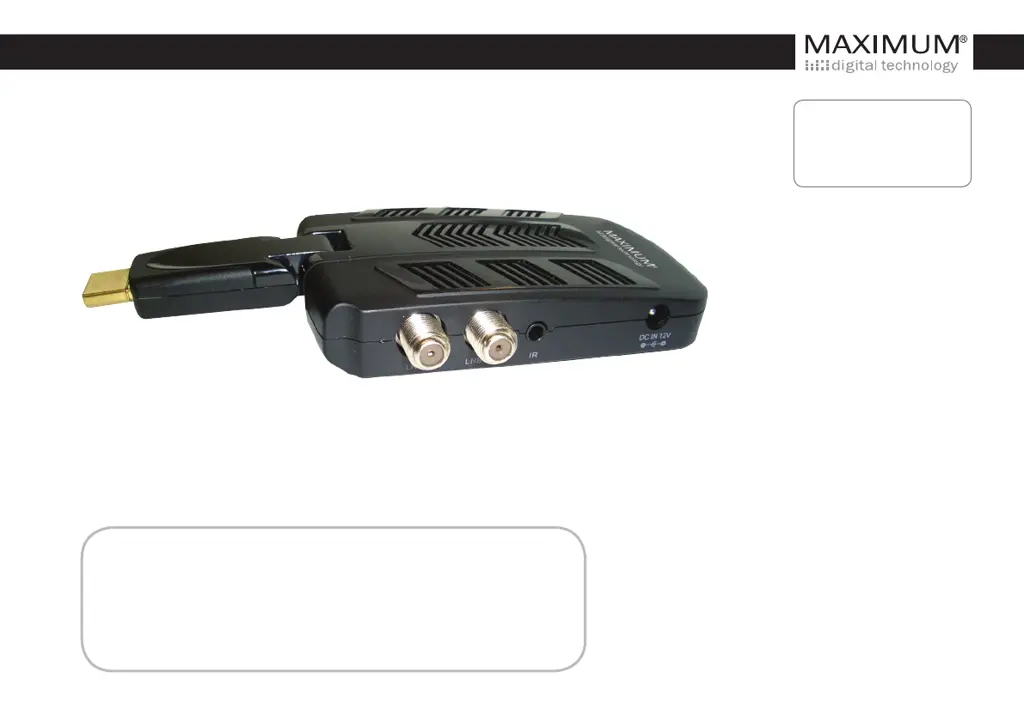
Device Connection Ports

Explains the purpose and use of each connection port on the receiver.

Remote Control Overview

Details the functions of each button on the remote control unit.

Connecting to Other Equipment

Provides instructions and cautions for connecting the receiver to other devices.

Initial Receiver Installation

Initial Setup Procedure

Guides users through the initial setup process after connecting the receiver.

Program Management Settings

Electronic Program Guide (EPG)

Describes how to access and use the on-screen TV guide for program information.

Program Editing and Management

Covers editing program preferences like favorites, renaming, moving, skipping, and deleting.

Program Locking and Parental Controls

Explains how to lock programs for restricted viewing and manage parental controls.

Picture Display Settings

Aspect Ratio Configuration

Sets the display format (e.g., 4:3, 16:9) for optimal picture viewing.

Resolution and TV Format Adjustment

Adjusts picture resolution and TV format (PAL/NTSC) for correct display.

Satellite Channel Search

Satellite Settings Configuration

Configures satellite-specific settings like LNB type, power, and DiSEqC commands.

Satellite List Management

Guides on adding, editing, and deleting satellite entries from the list.

Channel Scanning Methods

Details procedures for single and multi-satellite scans to find channels.

Transponder Scan Operations

Explains how to scan, add, edit, and delete transponders for channel searching.

Time and Sleep Timer Settings

Time and Sleep Timer Configuration

Allows setting the time automatically or manually, and configuring the sleep timer.

General Settings Options

Option Settings Configuration

Adjusts OSD language, audio language, subtitle language, digital audio, and banner display time.

System Configuration and Updates

System Configuration and Updates

Manages system password, factory reset, device information, recall list, and software updates.

USB Media and Software

USB Multimedia Playback

Details playback of music, photos, and videos via USB storage devices.

Software Upgrade Procedures

Instructions for downloading and installing software updates via USB.

Troubleshooting Guide

Troubleshooting Common Issues

Provides solutions for common problems like no picture, no sound, or remote control issues.

Technical Specifications

Product Technical Specifications

Lists detailed technical specifications for the receiver's tuner, connections, power, and decoding.

WEEE Disposal Information

WEEE Disposal Information

Guidance on the correct disposal of electrical and electronic equipment.

Maximum S-600 FTA Specifications

General IconGeneral
Tuner TypeDVB-S2
Supported Satellite SystemsDVB-S/DVB-S2
Output Resolution576i, 576p, 720p, 1080i, 1080p
EPGYes
TeletextYes
Parental ControlYes
TypeFTA Satellite Receiver
Video DecodingMPEG-2
Audio DecodingMPEG-1 Layer 1, 2
Video OutputHDMI
Audio OutputHDMI
Support Resolution1080p
Storage CapacitySupports external HDD via USB
USB PortUSB 2.0
Timer RecordingYes

Related product manuals