18
ENGLISH
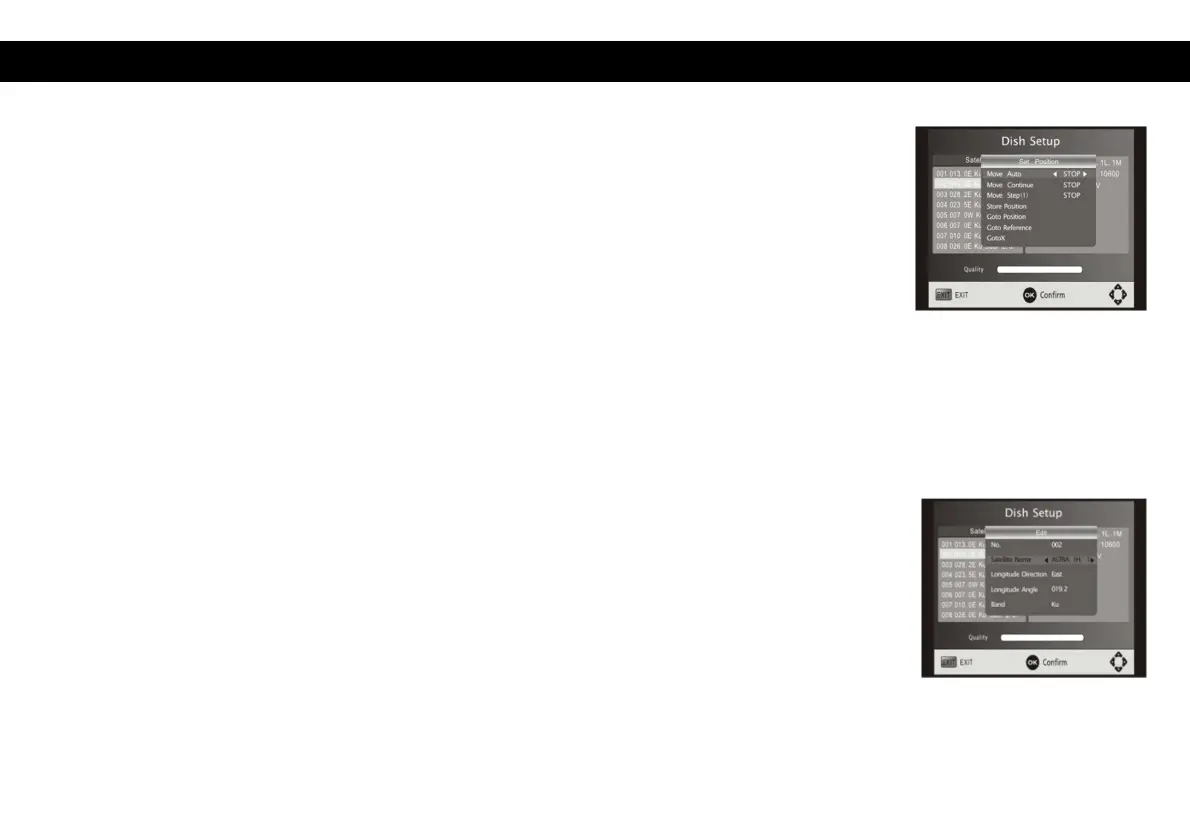
Motor: Enable/disable DiSEqC 1.2 command. Then Press OK to show the menu
to set the positions.
Move Auto: Press LEFT/RIGHT to start to move West/East. It will be stopped
automatically when the signal is locked.
Move Continue: Press LEFT/RIGHT to start to move West/East. It will keep
moving until you stop it.
Move Step [1]: Press LEFT/RIGHT to move just a step.
Store Position: store current position of motor.
Go to Position: Press LEFT/RIGHT to go to the position stored.
Go to Reference: Reset all the positions.
6.2 Satellite list
Add satellites: Press Red to add a new satellite, in which you must input a unique
longitude and edit the satellite's name.
Edit satellites: Press Green to edit the selected satellite.
Delete satellite: Press Yellow to delete the selected satellite. Press OK to confirm.


 To Next Page