18
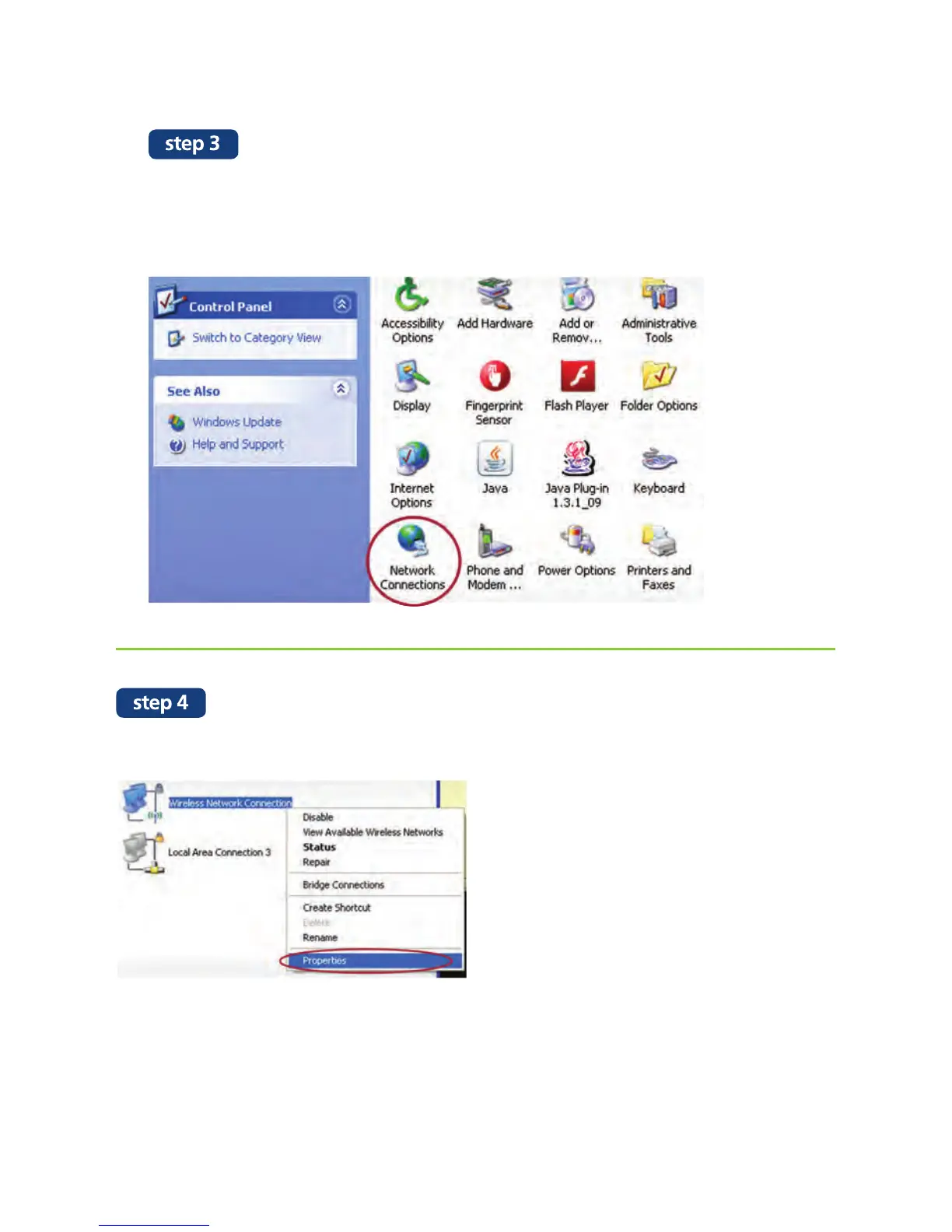
Go to the Microsoft Windows Control Panel.
Please ensure that you are on “Classic View” and not Category View.
If not, you can click on the left hand menu choise “Switch to Class View”.
Next, double click on “Network Connections”.
Right click on “Wireless Network Connection” and click on “Properties”.


 To Next Page