19
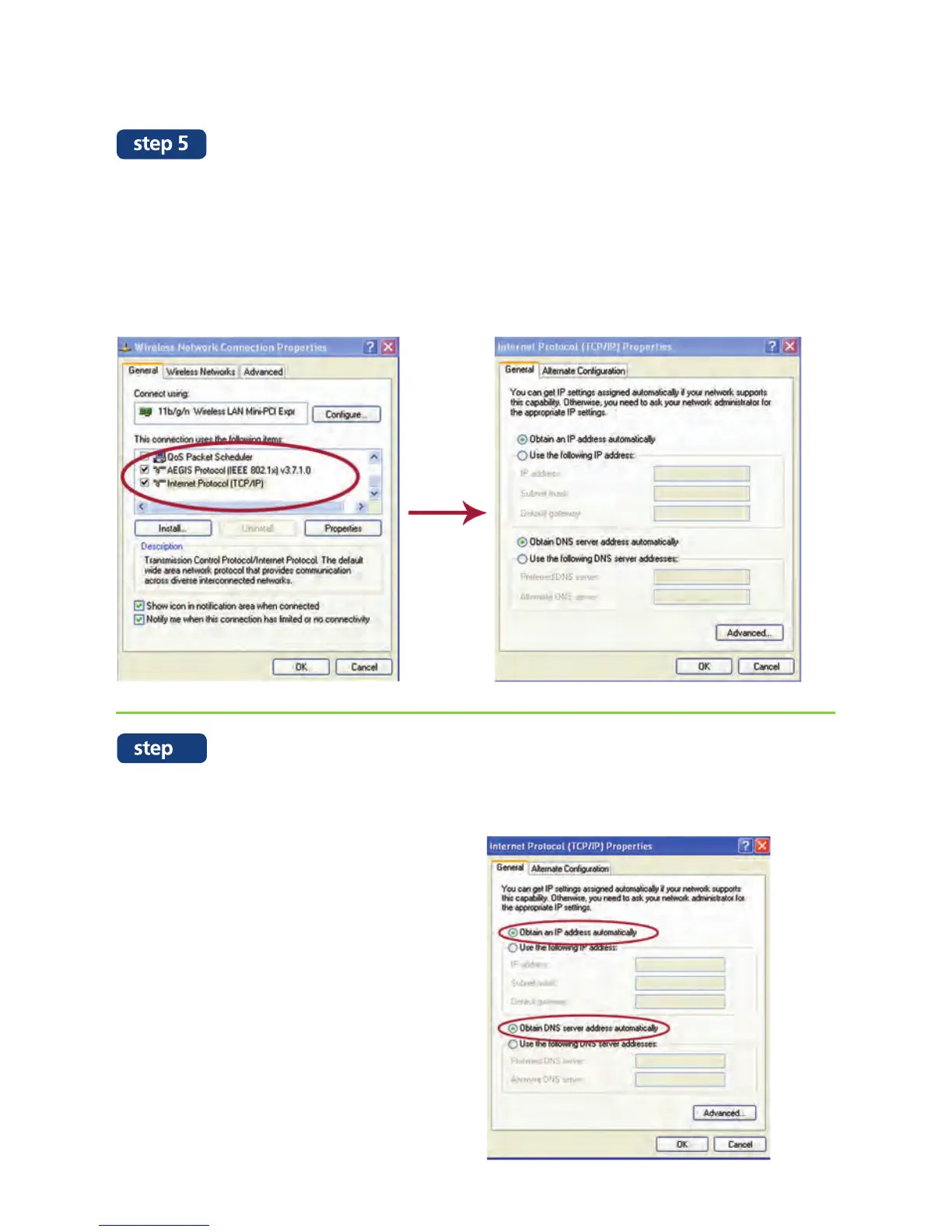
On the “Wireless Network Connection Properties” page, under the “General” tab,
scroll down and click on Internet Protocol (TCP/IP). On the “Internet Protocol (TCP/
IP) Properties” page, under the “General” tab, make sure that the “IP address”
and “DNS address” field is empty.
If not, refer to step 6 else try the internet connection again.
Remove the “IP address” and “DNS address” by clicking on “Obtain an IP address
automatically” and “Obtain DNS server address automatically”. Then click “OK”.
Now try the internet connection again.
6


 To Next Page