25
B. My WiFi network often disconnects or slows down.
What can I do?
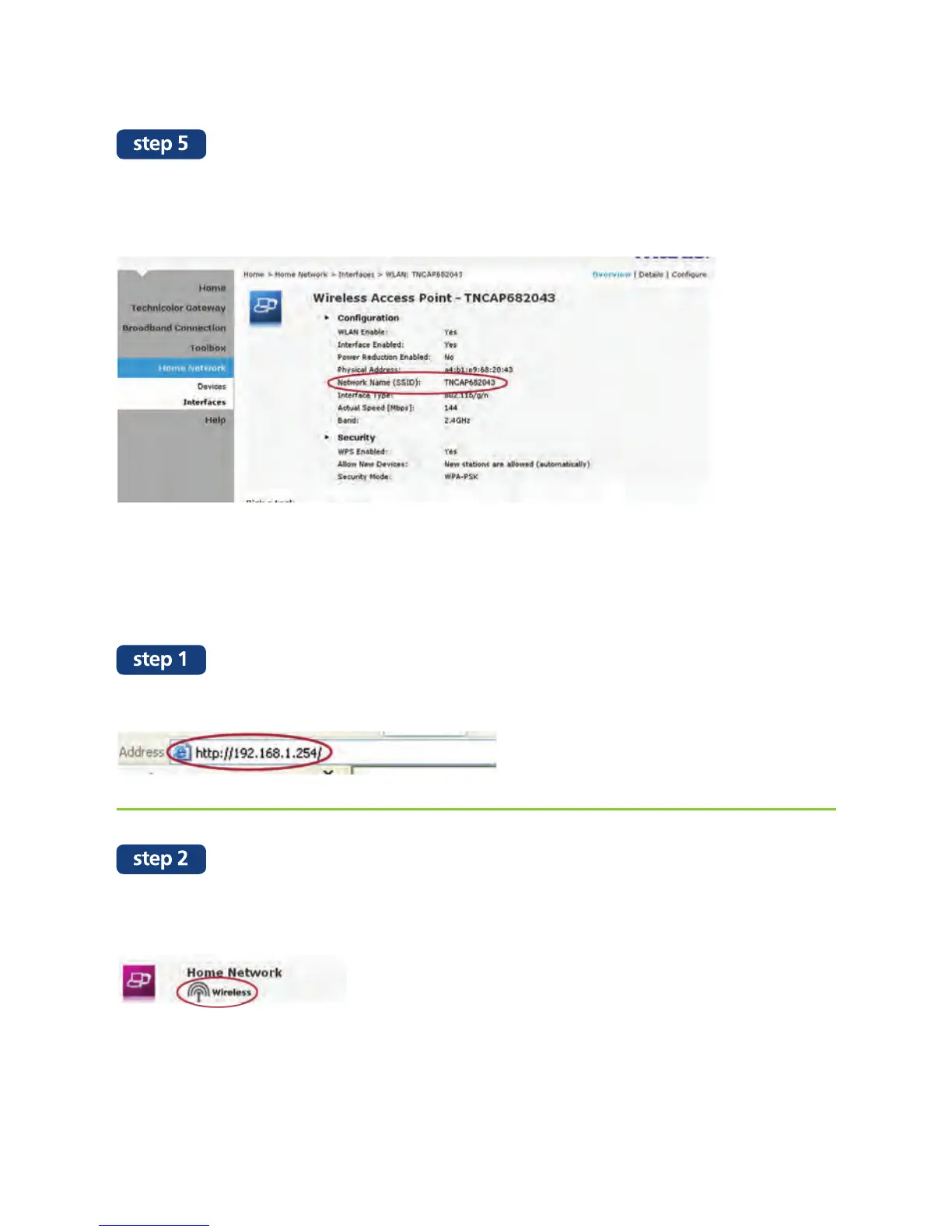
Open your web browser and enter 192.168.1.254 in the browser address bar.
Scroll down the configuration page until you find the “Home Network” column.
Click on “Wireless”.
Your WiFi name is listed under “Network Name (SSID)”.
If you want to view more information on your WiFi network,
click on “Details” at the top right hand corner of the page.


 To Next Page