26
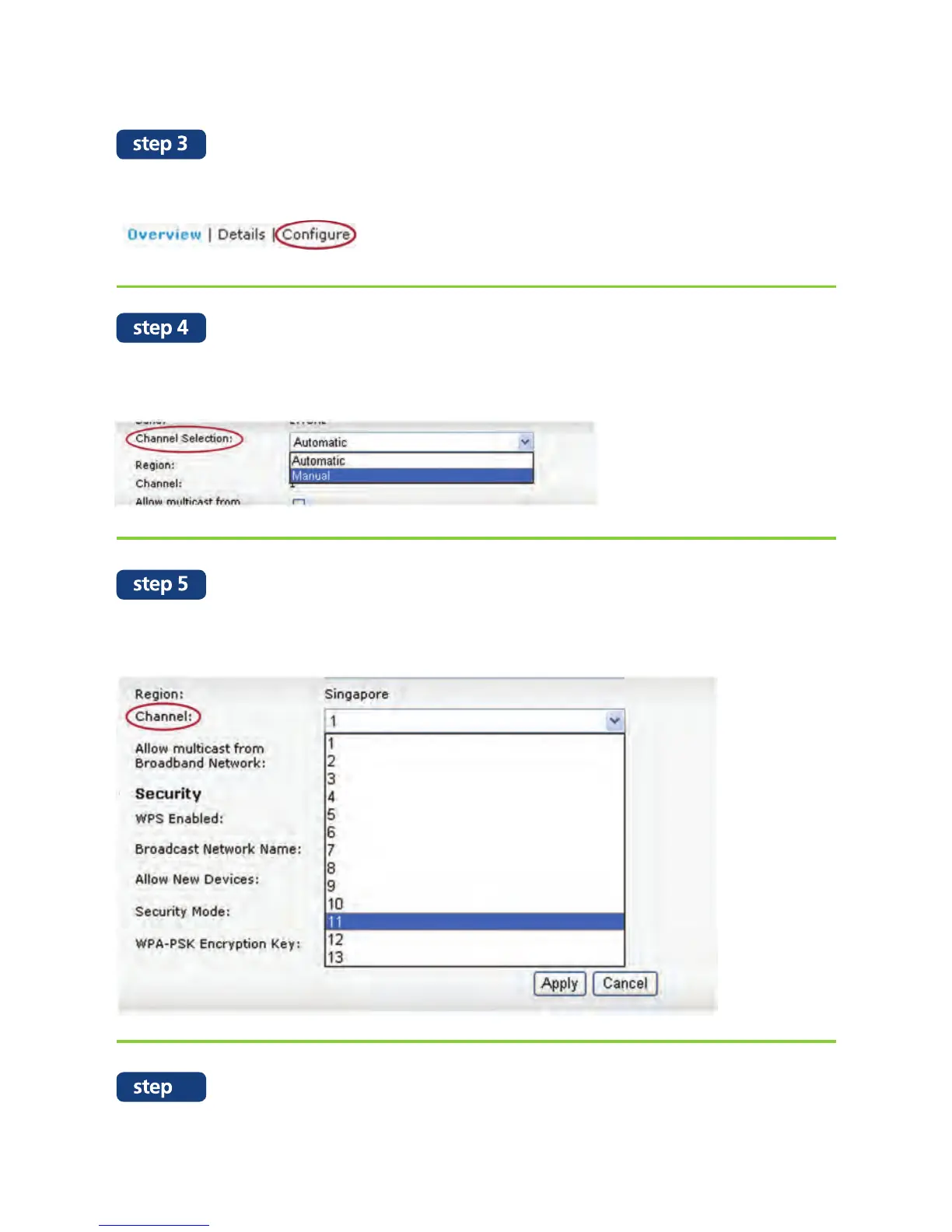
Scroll down the page and look for “Channel Selection”. Change the
status to “Manual”.
Click on “Configure” at the top right hand corner of the page.
Change the WiFi channel to any other available channel as shown in the
below listed selections and click “Apply”.
You can check your internet connection speed by visiting
speedtest.maxis.com.my (Refer to page 13 to perform an accurate speed test)
6


 To Next Page