KK-641.002 Rev.No:1 01.08.12 ML-121X User Manual Page | 8
6- PANEL BUTTONS AND INDICATORS
6.1 Control Buttons
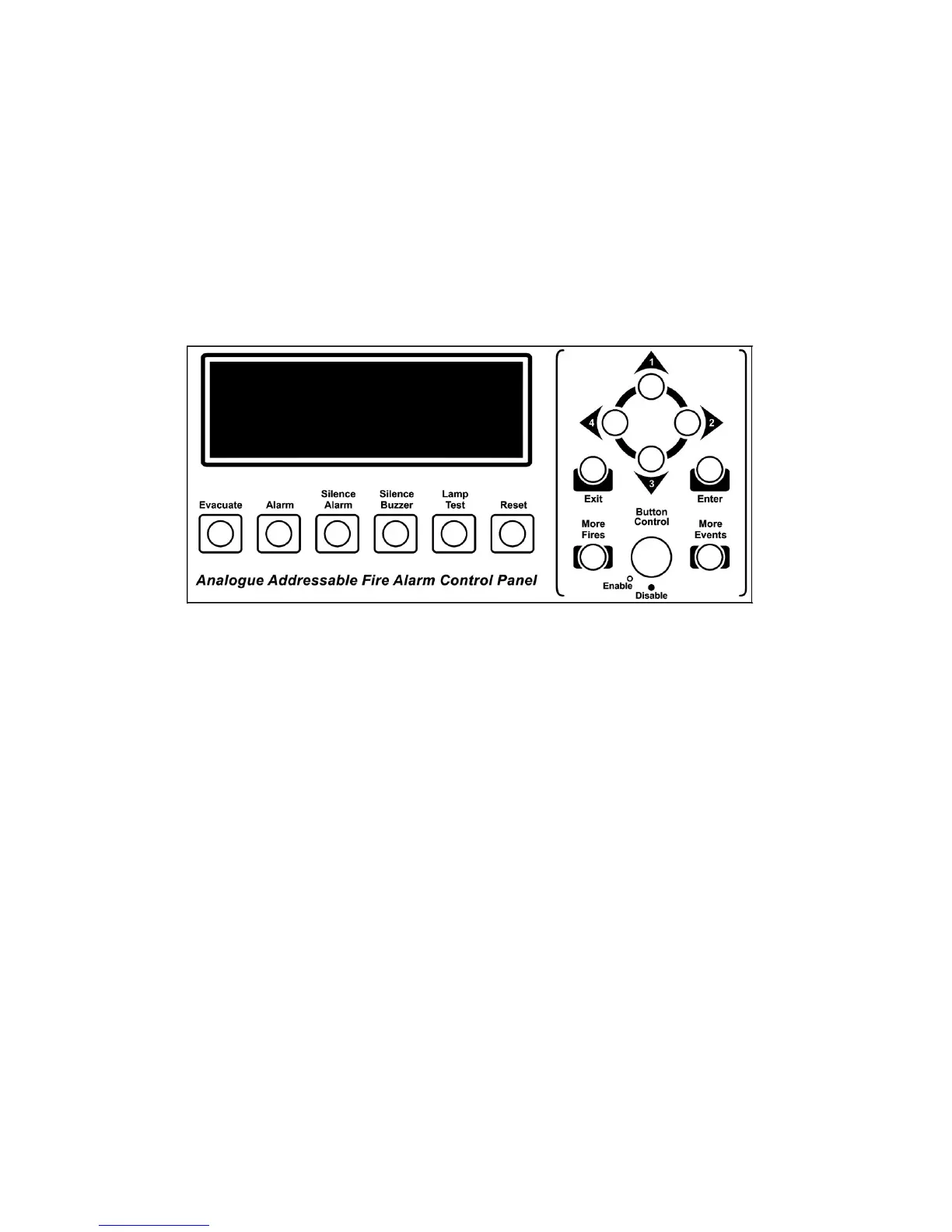
While control panel is in normal operating condition, it is in ‘Access Level 1’. In Access Level
1, the buttons; Silence Buzzer, Lamp Test, More Fires, More Events can be used.
The Silence Buzzer, Lamp Test, More Fires, More Events Buttons can be used in Access
Level 1.
Passing ‘Access Level 2’ enables to use other buttons. In order to pass ‘Access Level 2’
button control key is brought to enable position. To prevent unauthorized access, button
control key must always be kept as disable position while panel operating in normal condition.
Evacuate : Used for the purpose of evacuation. It requires to be programmed by
the Loop Manager Program.
Pressing this button:
- Buzzer sounds.
- Sounders ring.
- Alarm and fire relays get activated.
- Fire LEDs and Evacuation LEDs illuminate.
Alarm : Pressing Alarm button reactivates the sounders and relay outputs
which were silenced before.
Silence Alarm : This button is used to silence an alarm and bring relay outputs to their
old positions.
Silence Buzzer : This button is used to silence the internal buzzer which rings during fire
alarm or any fault condition occur in the system.
Lamp Test : It is used to check all the LEDs and LCD screen of the panel whether
they are operate normally or not.
Reset : Resets all existing fire and fault events in the system. Fire and Fault
relays are brought to normal position (if fire and fault condition is not proceeding).


 To Next Page