KK-641.002 Rev.No:1 01.08.12 ML-121X User Manual Page | 12
8- POWERING THE PANEL
8.1. First boot of panel
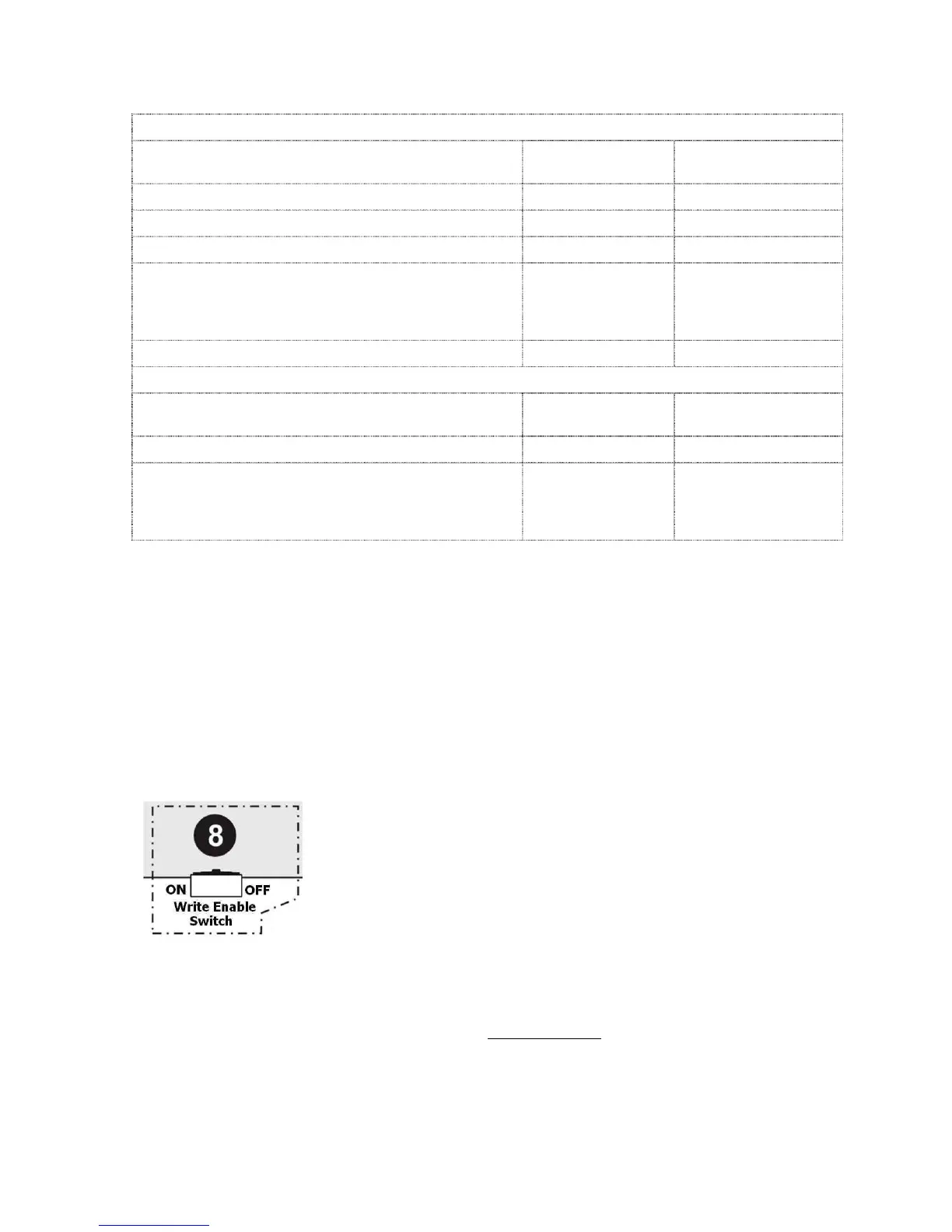
Operation Panel Status Write Enable Switch
Position
8.1.1. Cabling OFF (Not-energized) OFF (OFF Position)
8.1.2. Checking cabling OFF (Not-energized) OFF (OFF Position)
8.1.3. Addressing OFF (Not-energized) OFF (OFF Position)
8.1.4. Determining connected
devices
8.1.4.1. Re-Initiate System (Automatic Learning)
8.1.4.2. PC Program
ON (Energized) ON (ON Position)
8.1.5. Booting panel ON (Energized) OFF (OFF Position)
8.2. Booting Previously Configured Panel
Operation Panel Status Write Enable Switch
Position
8.2.1. Using updated data ON (Energized) OFF (OFF Position)
8.2.2. Reconfiguring the panel
8.2.2.1. Updating Panel Configuration File
8.2.2.2. Using Valid Data
ON (Energized) ON (ON Position)
8.1. First Boot of Panel
8.1.1. Cabling: Before powering the panel, all connections should be made properly
depending on the connection scheme in ANNEX-B.
8.1.2. Checking cabling: All the connected cables (sounder line, loop etc.) should be
checked for short circuit, open circuit (broken line) etc.
8.1.3. Addressing: All devices in the loop should be assigned to a unique address number
by ‘MG-8200 Address programmer’ device, with regard of architectural project of the site.
8.1.4. Determining connected devices: The devices connected to the panel loop lines
must be determined properly.
In order to determine connected devices, the panel is energized while
‘Write Enable Switch’ is ‘ON’.
(Annex-B, Figure-8)
The below screen appears. The operation shall be selected.
Re-Initiate System (Automatic Learning)
PC Program
Use Valid Data (In case the panel is energized for the first time, panel memory is empty and
this option cannot be selected at the first system boot.)


 To Next Page