
 Need help?
Do you have a question about the MAYFLASH DolphinBar and is the answer not in the manual?
Default mode using Wii Remote as mouse and virtual keyboard for typing.
Uses Wii Remote/Nunchuk/Classic Controller for PC games optimized for mouse/keyboard.
Uses Wii Remote/Nunchuk/Classic Controller for PC games optimized for controller/joypad.
Uses up to four controllers for Wii games via Dolphin emulator.
Details initial sync process and LED 0 status communication for connection.
Switch modes using MODE button or Wii Remote key combinations.
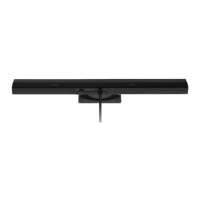
Indicates the DolphinBar's position on the monitor (TOP or BOTTOM).
Supports one Wii Remote, enters sleep mode. Has Normal and Multimedia statuses.
Details Wii Remote buttons for mouse cursor, scroll, page up/down, and connection control.
Details Wii Remote buttons for media playback: play/pause, stop, volume, etc.
Supports Wii Remote with/without Nunchuk. Maps buttons to mouse/keyboard functions.
Details Wii Remote button mappings for PC joypad equivalents in a Wii Remote-only layout.
Maps Wii Remote and Nunchuk buttons to PC joypad equivalents, including camera functions.
Maps Wii Remote and Wii Classic Controller buttons to PC joypad equivalents, including analog sticks.
 General
| Brand | MAYFLASH |
|---|---|
| Model | DolphinBar |
| Category | Speaker System |
| Language | English |

 To Next Page