Instruction Manual
7
Using working modes
Keyboard and mouse mode
LED 1 on the DolphinBar
This mode supports one Wii Remote at once. The Wii Nunchuk and Wii Classic
Controller are not supported in this mode. The Wii Remote controller will enter Sleep
mode automatically after 10 minutes of inactivity. There are two statuses for this mode:
Normal Keyboard and Mouse status (for normal PC usage), and
Multimedia status (optimized for media playback.)
You can switch between them with the + DOWN key combination.
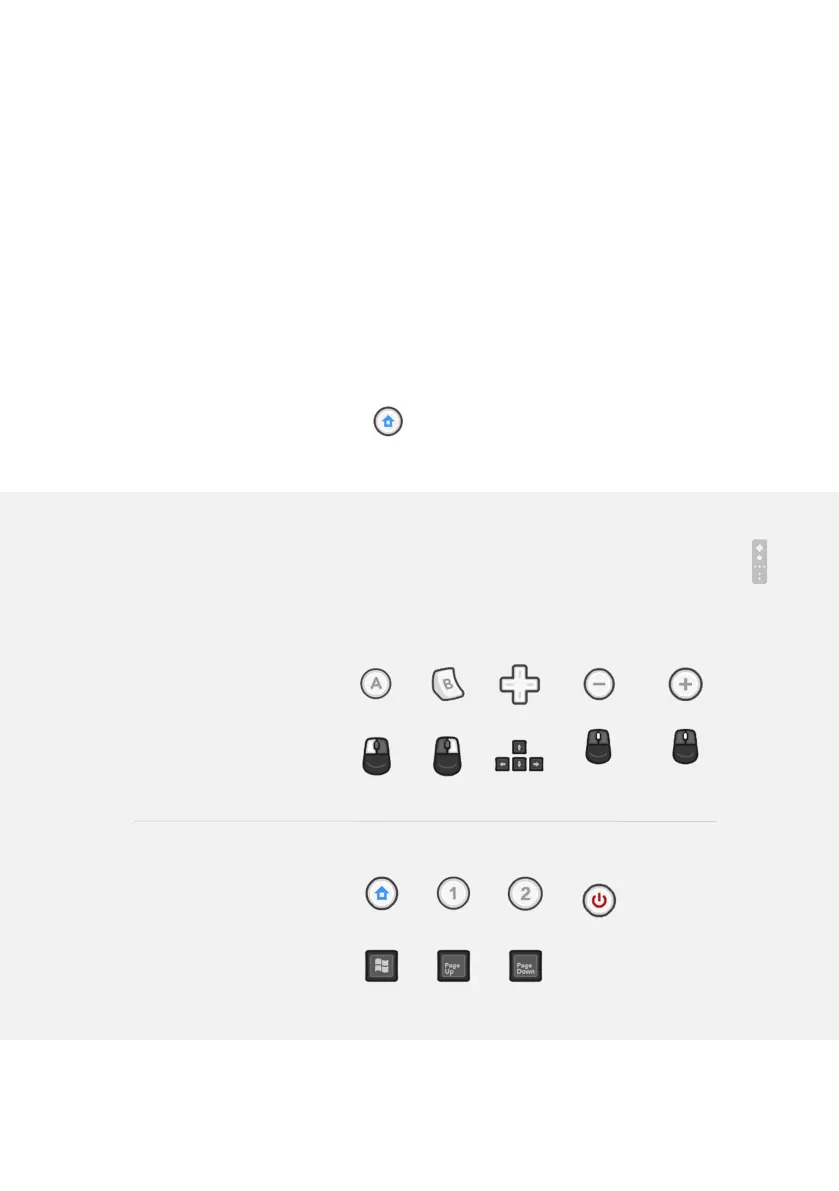
Normal Keyboard and Mouse status
LED 1 and 2 on the Wii Remote light up in this mode.
Wii Remote
Controller
Pointing the
controller
Keyboard
& mouse
equivalent
Moving the
mouse cursor
Scroll up
Scroll down
Wii Remote
Controller
(cont.)
Shut the
connection
off.
Keyboard
& mouse
equivalent


 To Next Page