Instruction Manual
13
Wii emulation mode
LED 4 on the DolphinBar
This mode supports up to four Wii Remote with or without the Wii Nunchuk connected,
and/or Wii Classic Controllers. Enable this mode before pairing the controllers with your
Dolphin emulator, as this is the only way to configure them. Once detected by the
emulator, there is no configuration to be done, just sit back and play!
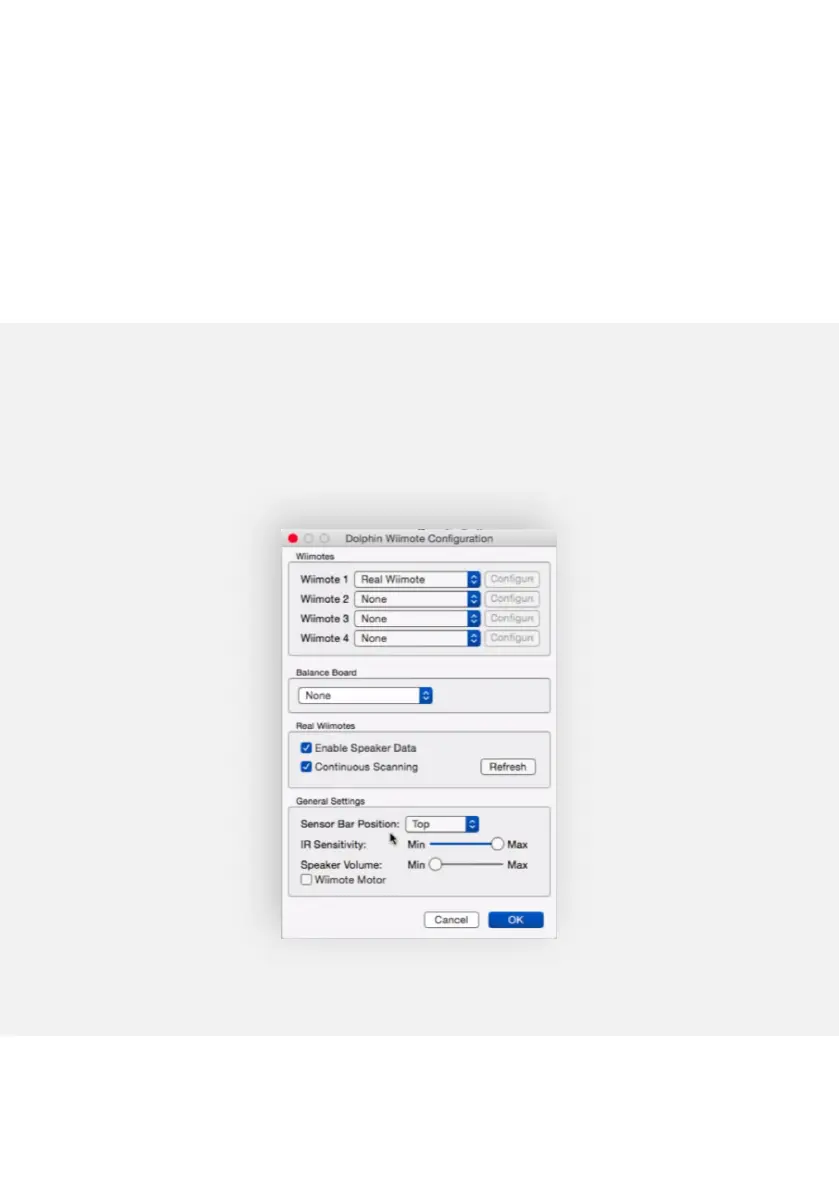
To pair your Wii Remote controller to the Dolphin emulator (version 4.0-2241 and above),
open the Dolphin Controller Configuration dialog and select the Real Wiimote option in
the slots according to the number of controllers you have synced to the DolphinBar.
Dolphin Controller Configuration dialog
(running on macOS)


 To Next Page