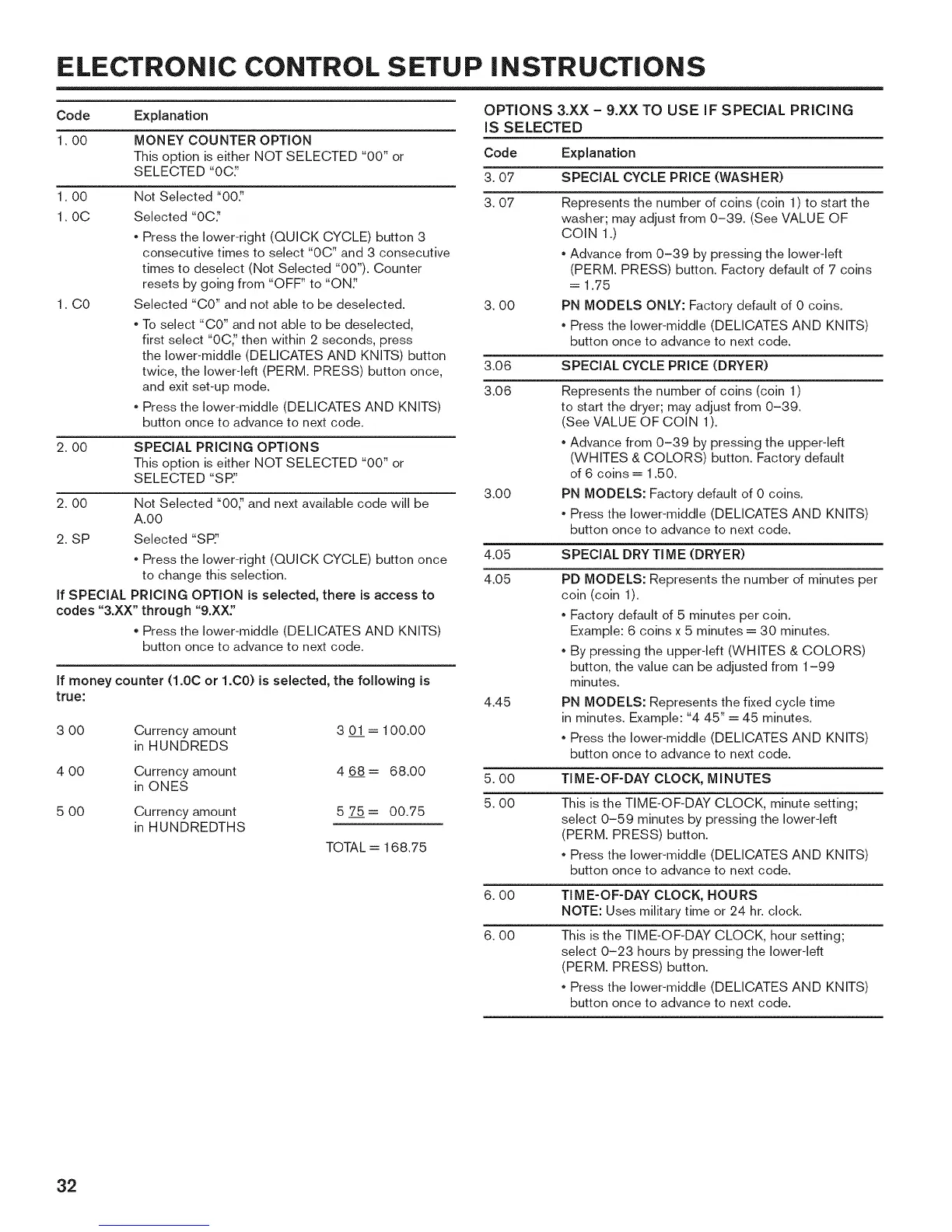
ELECTRONIC CONTROL SETUP iNSTRUCTiONS
Code Explanation
1.00 MONEY COUNTER OPTION
This option is either NOT SELECTED "00" or
SELECTED "0C_'
1.00
1.0C
1. CO
Not Selected "00:'
Selected "0C_'
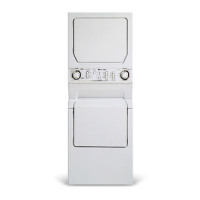
, Press the lower-right (QUICK CYCLE) button 3
consecutive times to select "0C" and 3 consecutive
times to deselect (Not Selected "00"). Counter
resets by going from "OFF" to "ONe'
Selected "CO" and not able to be deselected.
, To select "CO" and not able to be deselected,
first select "0C_' then within 2 seconds, press
the lower-middle (DELICATES AND KNITS) button
twice, the lower-left (PERM. PRESS) button once,
and exit set-up mode.
, Press the lower-middle (DELICATES AND KNITS)
button once to advance to next code.
2.00 SPECIAL PRICING OPTIONS
This option is either NOT SELECTED "00" or
SELECTED "S P:'
2.00 Not Selected "00_' and next available code will be
A.00
2. SP Selected "SP_'
, Press the lower-right (QUICK CYCLE) button once
to change this selection.
If SPECIAL PRICING OPTION is selected, there is access to
codes "3.XX" through "9.XX:'
, Press the lower-middle (DELICATES AND KNITS)
button once to advance to next code.
If money counter (1.0C or 1.C0) is selected, the following is
true:
3 00 Currency amount 3 01 -- 100.00
in HUNDREDS
4 00 Currency amount 4 68-- 68.00
in ONES
5 00 Currency amount 5 75-- 00.75
in HUNDREDTHS
TOTAL = 168.75
OPTIONS 3.XX - 9.XX TO USE IF SPECIAL PRICING
IS SELECTED
Code Explanation
3.07 SPECIAL CYCLE PRICE (WASHER)
3.07
3.00
Represents the number of coins (coin 1) to start the
washer; may adjust from 0-39. (See VALUE OF
COIN 1.)
, Advance from 0-39 by pressing the lower-left
(PERM. PRESS) button. Factory default of 7 coins
= 1.75
PN MODELS ONLY: Factory default of 0 coins.
, Press the lower-middle (DELICATES AND KNITS)
button once to advance to next code.
3.06 SPECIAL CYCLE PRICE (DRYER)
3.06 Represents the number of coins (coin 1)
to start the dryer; may adjust from 0-39.
(See VALUE OF COIN 1).
3.00
, Advance from 0-39 by pressing the upper-left
(WHITES & COLORS) button. Factory default
of 6 coins = 1.50.
PN MODELS: Factory default of 0 coins.
, Press the lower-middle (DELICATES AND KNITS)
button once to advance to next code.
4.05 SPECIAL DRY TIME (DRYER)
4.05
4.45
PD MODELS: Represents the number of minutes per
coin (coin 1).
, Factory default of 5 minutes per coin.
Example: 6 coins x 5 minutes = 30 minutes.
, By pressing the upper-left (WHITES & COLORS)
button, the value can be adjusted from 1-99
minutes.
PN MODELS: Represents the fixed cycle time
in minutes. Example: "4 45" = 45 minutes.
, Press the lower-middle (DELICATES AND KNITS
button once to advance to next code.
5.00 TIME-OF-DAY CLOCK, MINUTES
5.00
This is the TIME-OF-DAY CLOCK, minute setting;
select 0-59 minutes by pressing the lower-left
(PERM. PRESS) button.
, Press the lower-middle (DELICATES AND KNITS
button once to advance to next code.
6.00
6.00
TIME-OF-DAY CLOCK, HOURS
NOTE: Uses military time or 24 hr. dock.
This is the TIME-OF-DAY CLOCK, hour setting;
select 0-23 hours by pressing the lower-left
(PERM. PRESS) button.
, Press the lower-middle (DELICATES AND KNITS
button once to advance to next code.
32



 To Next Page