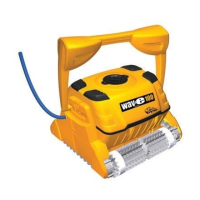
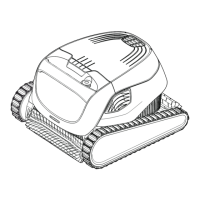
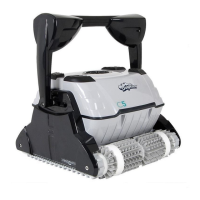
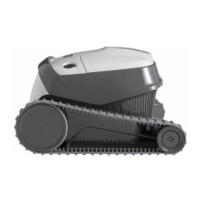
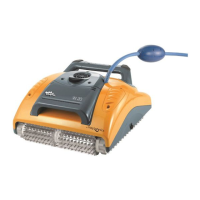
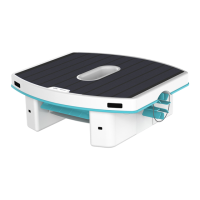
The Maytronics Robotic Pool Cleaner, available in Basic 12, Classic 12, and Classic 12+ models, is designed to provide reliable, convenient, and cost-effective pool cleaning. These robotic cleaners utilize advanced cleaning technologies, offering long-lasting performance and easy maintenance, ensuring a thoroughly clean pool for users to enjoy.
Function Description
The Robotic Pool Cleaner operates autonomously to clean swimming pools. Its primary function is to scrub and filter the pool water, removing debris and enhancing overall pool hygiene. The cleaner is equipped with active brushing capabilities to dislodge stubborn dirt and algae from pool surfaces. It features a reliable filtration system that captures various sizes of debris, ensuring comprehensive cleaning in all pool conditions. The Classic 12+ model also includes indicator lights that provide visual feedback on its operational status, including normal operation and communication with a remote control or smartphone.
Usage Features
Setting up the Robotic Pool Cleaner for the first time involves a few simple steps. Users need to position the power supply approximately 3 meters (10 feet) away from the edge of the pool, ideally in the middle of the long side. It's crucial to unwind the floating cable completely to prevent kinks, which can impede the cleaner's movement. The floating cable is then securely attached to the power supply by aligning a notch on the connector with a groove on the power supply socket and turning it clockwise. Finally, the power supply is plugged into an electrical outlet but initially left in the OFF position.
Once the setup is complete, the cleaner is gently placed into the pool. It should be released and allowed to sink to the bottom, ensuring the floating cable remains free of obstructions. After the cleaner is submerged, the power supply is turned ON. The cleaner will then begin its operation and continue until its cleaning cycle is complete.
Removing the cleaner from the pool is also straightforward. First, the power supply must be turned OFF and unplugged from the electrical outlet. Users should then use the floating cable to guide the cleaner to the pool's edge. It is critically important to use the cleaner's handle to lift it out of the pool, rather than pulling it by the cable, as this can cause damage. Once out of the water, the cleaner should be placed on the pool edge to allow any remaining water to drain out.
Maintenance Features
Regular maintenance is essential to ensure the continued optimal performance of the Robotic Pool Cleaner. The dual filter basket system is designed for easy cleaning, and it is highly recommended to clean it after each cleaning cycle. Before cleaning, the power supply must be switched off and unplugged.
To clean the filter basket, the filter cover is opened, which automatically lifts the handle. The entire basket is then lifted out of the cleaner. To remove debris, a latch on the basket is opened to release the bottom lid. The filter basket can then be thoroughly cleaned with a hose. It is important not to let the filter panels dry out before cleaning, as this can make debris harder to remove.
Periodic, more thorough cleaning of the filter panels is recommended at least once a month. This involves dismantling the four ultra-fine filter panels from the outer basket. While holding down the handle, the inner net basket is removed. The panels are then dismantled by pressing on panel 1 first, followed by panels 2, 3, and 4 in sequence. Each panel should be cleaned with a hose. After cleaning, the filter panels are reassembled in reverse order: panel 4, then 3, 2, and finally 1. The clean filter basket is then reinserted into the cleaner, and the filter cover is closed.
Another important maintenance task is cleaning the impeller if debris becomes trapped. Before attempting this, the power supply must be switched off and unplugged. The manual provides a series of visual steps to guide users through the process of accessing and cleaning the impeller opening to remove any obstructions. After clearing the debris, the impeller compartment must be reassembled according to the provided steps.
For off-season storage, if the pool cleaner will not be in use for an extended period, several steps should be followed to protect the device. Ensure no water is left in the pool cleaner. The filter basket and panels should be thoroughly cleaned and reinserted. The cable should be rolled up carefully to prevent kinks. Finally, the pool cleaner should be stored in a protected area, away from direct sun, rain, or frost, at a temperature between 5°C and 45°C (41°F and 113°F).
Troubleshooting guidance is also provided for common issues such as the power supply or switch not working, the cleaner not moving, moving in circles, not turning or moving in one direction, moving but not cleaning, cleaning only part of the pool, or the floating cable having kinks. These issues often relate to power supply connections, clogged filters, debris in the impeller, incorrect power supply positioning, or unsuitable water conditions, with corresponding corrective actions outlined.


 To Next Page
 General