5
Robotic Pool Cleaner Basic 12 / Classic 12 / Classic 12+ | User Instructions
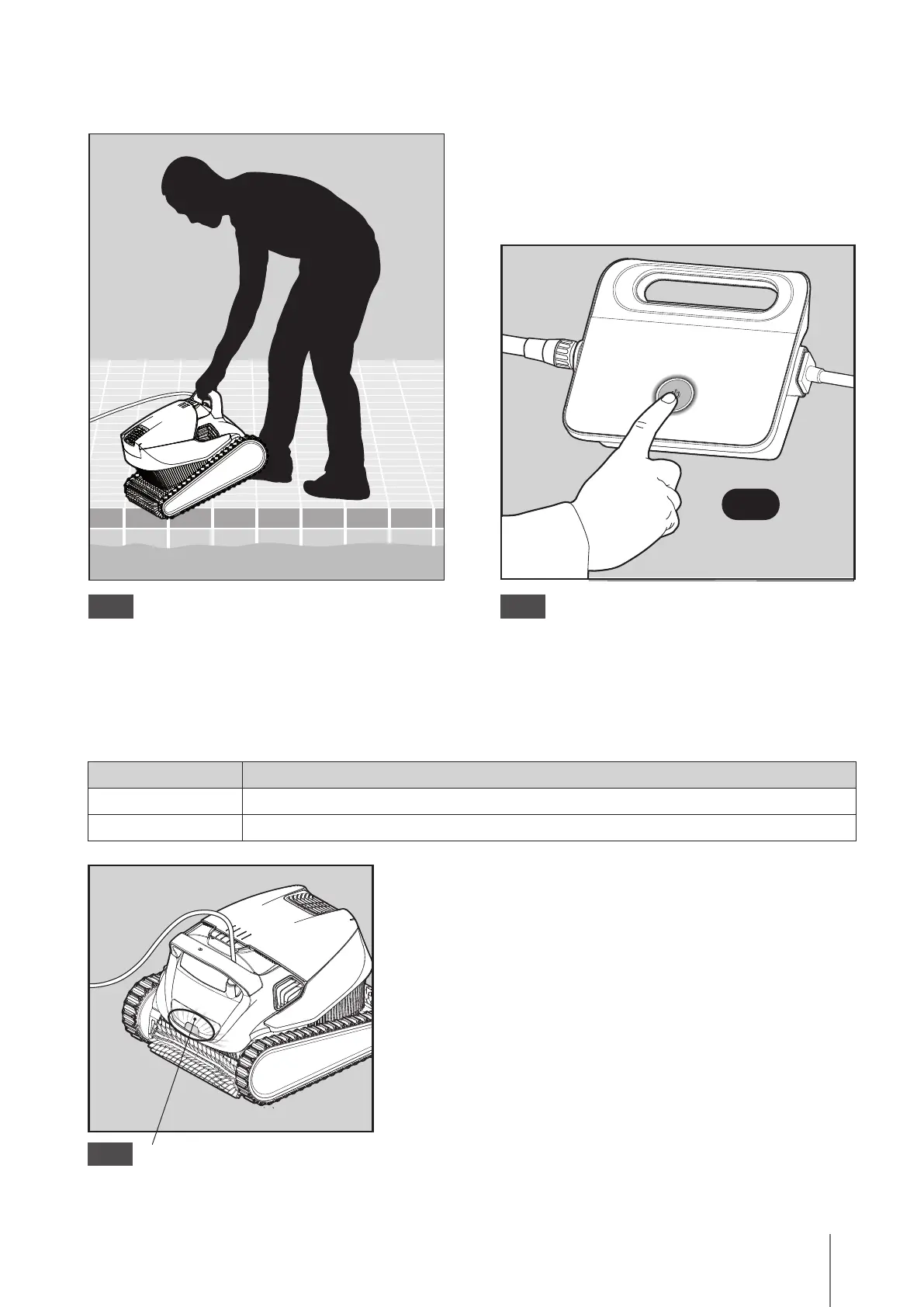
5.2 Putting the Pool Cleaner into the pool
Put the Pool Cleaner into the pool.
Release the Pool Cleaner and let it sink to the floor
of the pool.
Make sure that the floating cable is free of any
obstructions.
5.2.1
Turn the power supply ON.
The Pool Cleaner will now operate until it has
reached the end of the cleaning cycle.
5.2.2
Light Indication
Blue blinking Normal operation of the Pool Cleaner
Green blinking Remote-Control or Smartphone communicate with the Pool Cleaner
5.3 Indicator Lights - Model Classic 12+ only
5.3.1
Indicator lights.








 To Next Page