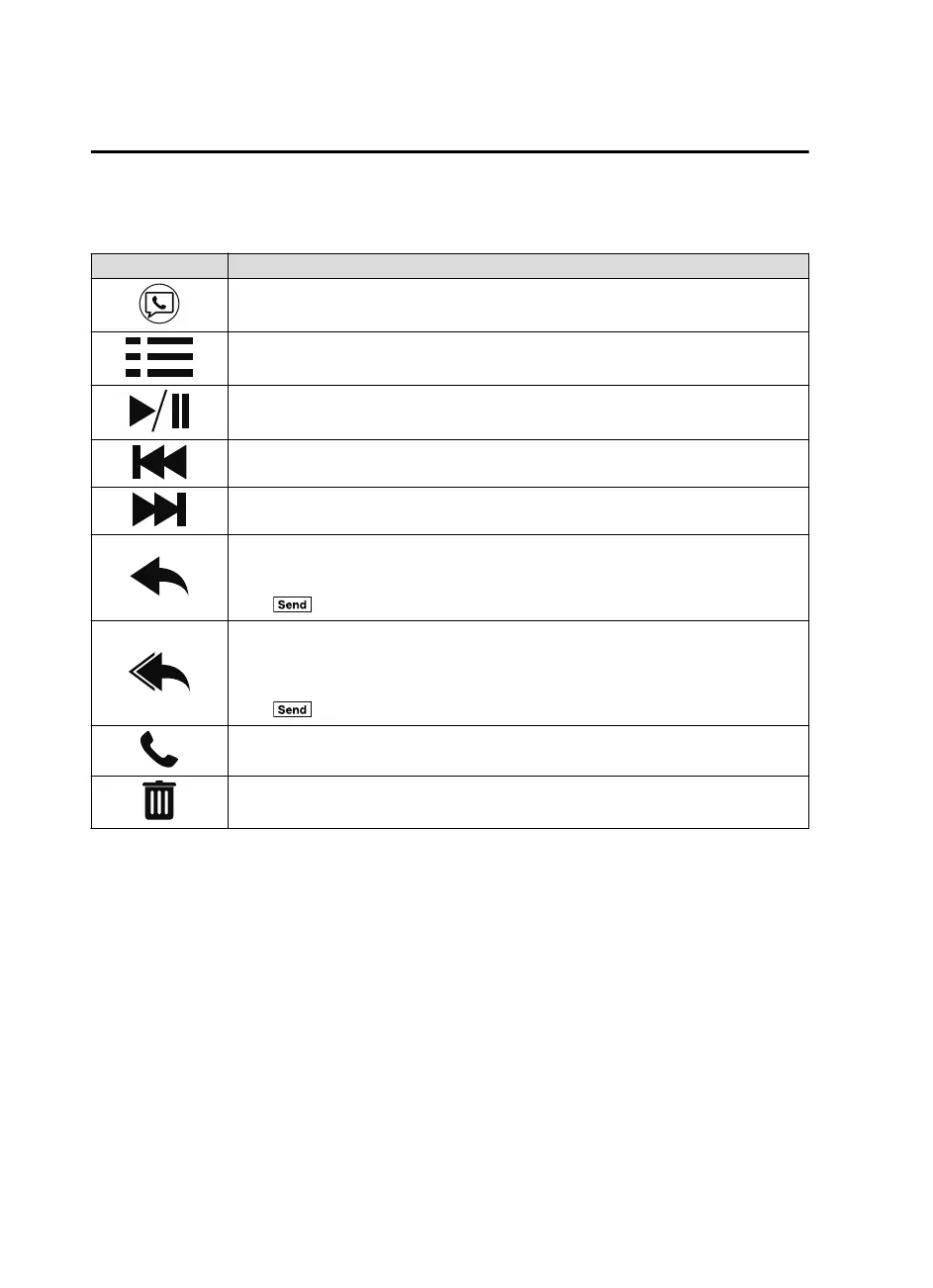
The following icons are displayed in the lower part of the details on the message. Icons
which can be used differ depending on use conditions.
Icon Function
Displays the Communication menu.
Displays the inbox.
Plays back a message.
When selected again, playback is temporarily stopped.
Displays the previous message.
Displays the next message.
Only replies to the sender of the currently displayed message.
Select the sentence on the displayed reply screen and select the sentence for sending from
the preset message.
Select
.
(Only E-mail)
Replies to all members including CC.
Select the sentence on the displayed reply screen and select the sentence for sending from
the preset message.
Select
.
Makes a call to a person who sent a message.
For E-mail, this function may not work depending on the device.
Deletes a message.
The messages stored in a device is also deleted.
NOTE
Up to three preset messages can be selected.
Interior Features
Bluetooth®
5-108
Mazda3_8GE4-EA-17F_Edition1 2017-4-7 11:59:21



 To Next Page