Apple CarPlay™
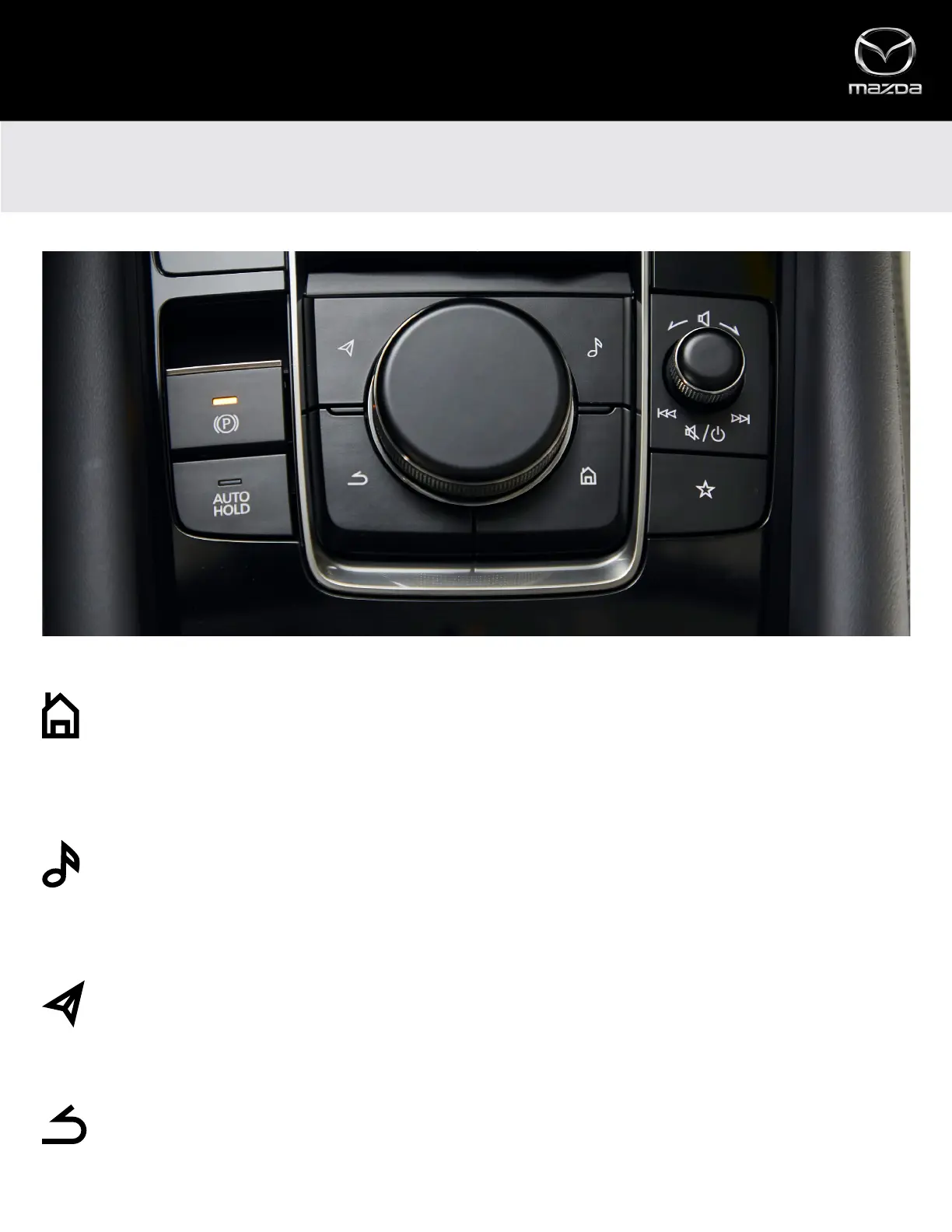
COMMANDER CONTROL
The shortcut buttons on the Commander control, located right at the driver’s fingertips, give quick access to a variety of
Apple CarPlay™ features.
HOME BUTTON
• Press and HOLD the Home button to toggle between Apple CarPlay and Mazda Connect screens (when a
compatible iPhone is connected)
• Press the Home button to quickly return to the Apple CarPlay home screen from inside Apple CarPlay apps
• Press the Home button from Dashboard View or App View to toggle between the two views
ENTERTAINMENT BUTTON
• When listening to music from an app that is compatible with Apple CarPlay, press the Entertainment button
to pull up the Now Playing screen
• When listening to music via Apple CarPlay, the Entertainment button will open the Now Playing screen, even
while using Mazda Connect
MAP BUTTON
• Press the Map button to quickly access the Apple Maps screen or current route guidance
• If a route is set using Apple Maps, the Map button will open the Apple Maps screen, even while using
Mazda Connect
BACK BUTTON
• Press the Back button to return to the previous screen
7



 To Next Page