25
Before
Use
Getting
started
Routing
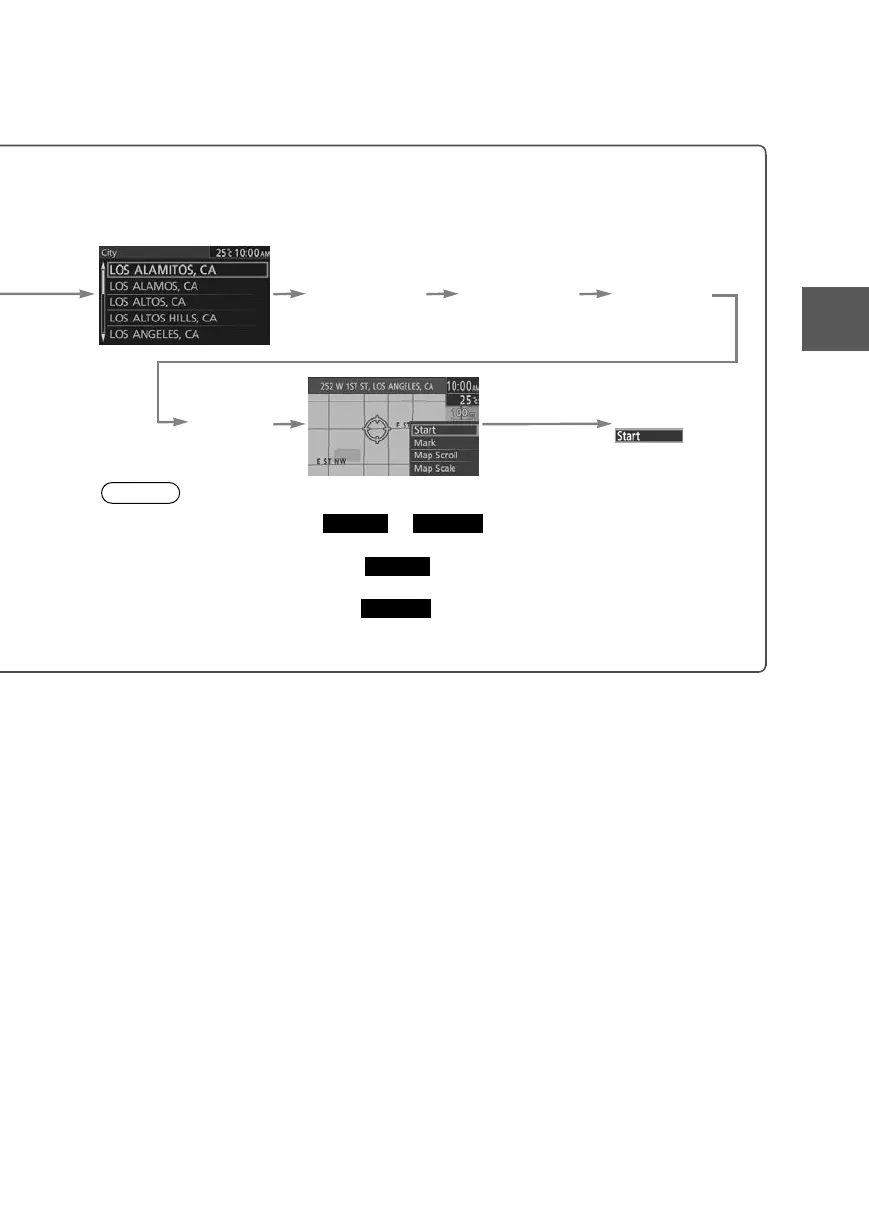
● For Character Entry, please refer to page 20.
put the
ity name.
Select the city
name from the
list.
Input the
street name.
Select the
street name
from the list.
Input the
House
Number.
Select
Notes
●Once the destination is set, or is displayed for the following
destination settings.
●To add to the destinations, select and follow the same procedure as that
of the first destination setting.
●To re-set the destinations, select and follow the same procedure as that
of the first destination setting.
●The number of points which can be set as destinations are limited to two.
Add to
Replace
Add to
Replace
0#8687''DQQMࡍࠫ㧞㧜㧝㧝ᐕ㧥㧝㧤ᣣޓᣣᦐᣣޓඦ೨㧥ᤨ㧞㧝ಽ











 To Next Page