Feature Highlights
13 14
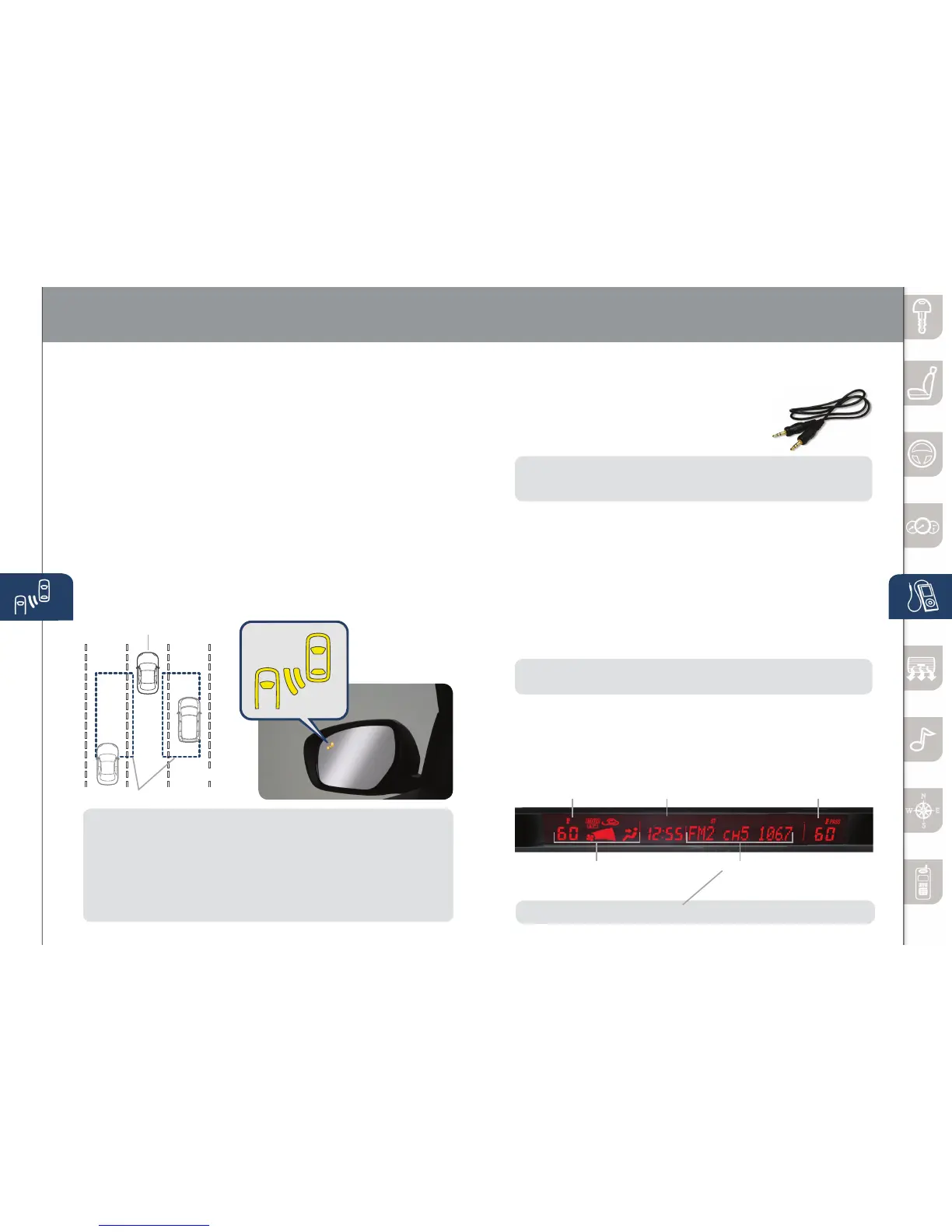
BLIND SPOT MONITORING (BSM) SYSTEM
The Blind Spot Monitoring (BSM) system is designed to assist the driver
by monitoring the blind spots to the rear of the vehicle on both sides.
• Ifyourvehiclespeedis20mph(32km/h)ormore,theBSMwillwarn
youofvehiclesinthedetectionareabyilluminatingtheBSMwarning
lights located on the left and right door mirrors.
• IfyouoperateaturnsignalinthedirectionofanilluminatedBSM
warning light, the system will also warn you with a beeping sound and
warning light ash.
• BSMsensorsarelocatedundertheleftandrightrearbumperareas.
TheBSMsystemmaynotoperateproperlyiftherearbumpergetstoo
dirty, so keep the rear bumper area clean.
PleaserefertoyourOwner’sManualforcompletedetails.
Your Vehicle
Detection Areas
NOTE: Do not rely completely on the BSM system and be sure to look over
your shoulder before changing lanes:
•
TheBSMsystemcanassistthedriverinconrmingthesafetyofthesurroundings,
but is not a complete substitute.
• Thedriverisresponsibleforensuringsafelanechangesandothermaneuvers.
• Alwayspayattentiontothedirectioninwhichthevehicleistravelingandthe
vehicle’ssurroundings.
• TheBSMsystemdoesnotoperatewhenthevehiclespeedislowerthanabout
20 mph (32 km/h).
Turning BSM System Off
TomanuallyturntheBSMsystemoff,pushtheBSMOFFswitchonthedash.
TheBSMOFFindicatorwillilluminateintheinstrumentclusterwhentheBSM
systemisoff.TheBSMsystemwillautomaticallyturnonthenexttimethe
vehicle is started.
Driver Side Interior
Set Temperature
Climate
Control
Audio
INFORMATION DISPLAY
Outside Temperature/
Passenger Side
Set Temperature
Clock
NOTE:ForstandardaudioandNavionly.MidAudioshowsTripcomputerhere.
PORTABLE
AUDIO
PLAYER
INTEGRATION
USING
THE
AUX
JACK
YourvehicleisequippedwithanAUXorauxiliary
jack that will allow you to play your portable audio
playerthroughthevehicle’saudiosystem.Learn
the system when parked and do not let it distract
you while driving.
NOTE: AvailableatyourMazdadealeristheGenuineMazdaAccessory3.5mm
audio cable which can be used to connect your portable audio player into the
auxjack.
1 LocatetheAUXjackinsidethecenterconsole.
2 Plug3.5mmaudiocableintotheportableaudioplayerandintothe
AUXjack.Turnportableaudioplayeron.
3 Turnthevehicleaudiosystemon.
4 • Without Navigation System:PushAUXbuttononaudiosystem
ORpushMODEbuttononsteeringwheelcontrolsuntil“AUX”
is displayed.
•With Navigation System:PushSOURCEbuttononaudio
system,thenpushAUX1onscreenORpushMODEbuttonon
steeringwheelcontrolsuntil“AUX1”isdisplayed.
5 Usetheportableaudioplayercontrolstoplaymusic.
IMPORTANT:Setthevolumelevelonyourportableaudioplayertothehighest
level before distortion starts, then adjust the volume on the audio system.
www.MazdaUSA.com



 To Next Page