Black plate (250,1)
Pause
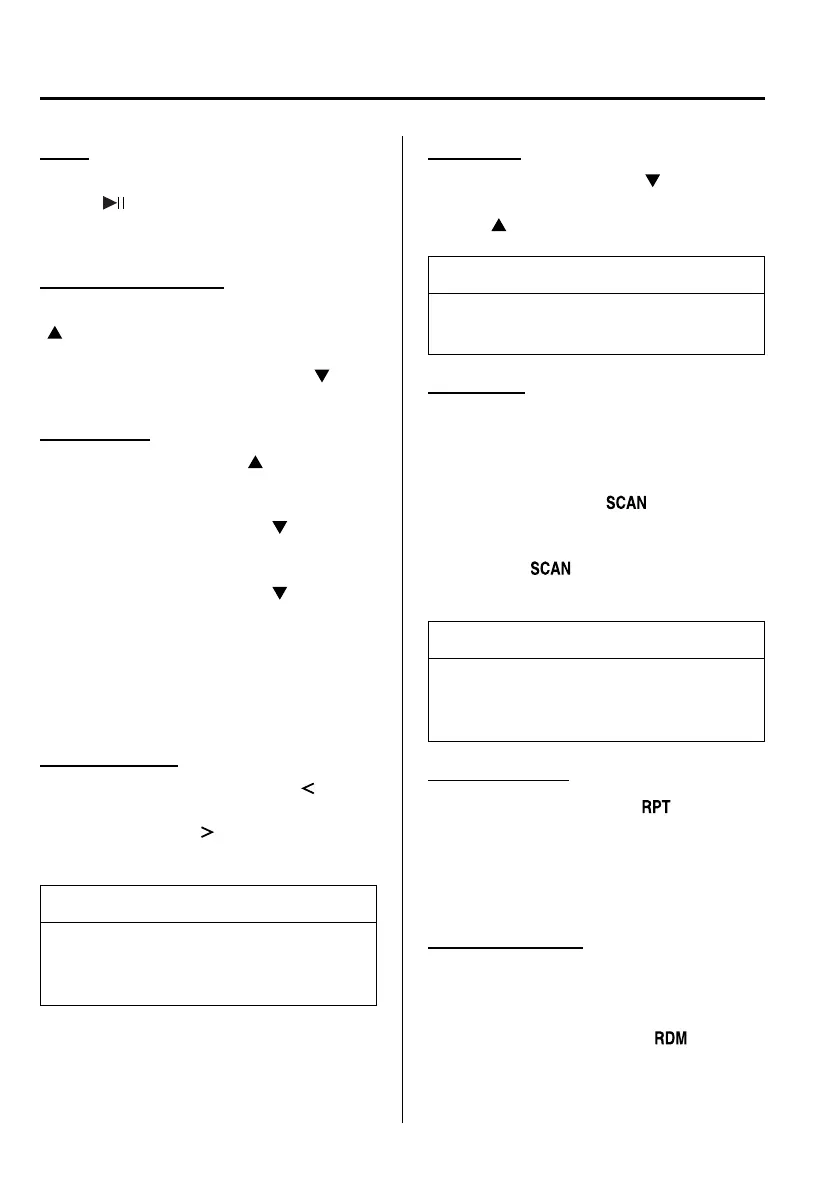
To stop playback, press the Play/ Pause
button (
).
Press the button again to resume
playback.
Fast-forward/Reverse
Press and hold the fast-forward button
(
) to advance through a track at high
speed.
Press and hold the reverse button (
)to
reverse through a track at high speed.
Track search
Press the track up button (
) once to
skip forward to the beginning of the next
track.
Press the track down button (
) within a
few seconds after playback begins to track
down.
Press the track down button (
) after a
few seconds have elapsed to start
playback from the beginning of the track.
The time required to track down /start
playback from the beginning of a track
varies depending on iPod software
version.
Category search
Press the category down button (
)to
select the previous category and press the
category up button (
) to select the next
category.
NOTE
The types of categories include Playlist,
Artist, Album, Song, Podcast, Genre,
Composer, and Audio book.
List search
Press the list down button (
) to select
the previous list and press the list up
button (
) to select the next list.
NOTE
When the selected category is Song or
Audio book, there is no list.
Music Scan
This function scans the titles in a list
currently being played and plays ten
seconds of each song to aid you in finding
a song you want to listen to.
Press the scan button (
) durin g
playback to start the scan play operation
(the track number will flash). Press the
scan button (
) again to cancel scan
playback.
NOTE
If the unit is left in scan, normal
playback will resume where scan was
selected.
Repeat playback
1. Press the repeat button (
) during
playback to play the current track
repeatedly. “RPT” is displayed.
2. Press the button again to cancel the
repeat playback.
Random playback
Tracks are randomly selected and played.
Song random
1. Press the random button (
) durin g
playback to play the tracks in the list
randomly. “ SONG RDM” is displayed.
6-56
Interior Comfort
Audio System
Mazda5_8DF6-EI-13J_Edition7 Page250
Thursday, March 9 2017 8:35 PM
Form No.8DF6-EI-13J



 To Next Page