Black plate (257,1)
NOTE
Under the following conditions, the
ambient temperature display may differ
from the actual ambient temperature
depending on the surroundings and
vehicle conditions:
l
Significantly cold or hot
temperatures.
l
Sudden changes in ambient
temperature.
l
The vehicle is parked.
l
The vehicle is driven at low speeds.
qTrip Computer
í
The trip computer can display the
following:
l
The current fuel economy.
l
The average fuel economy.
l
The approxi mate distance you can
travel on the available fuel.
l
The average vehicle speed.
Switch the ignition ON.
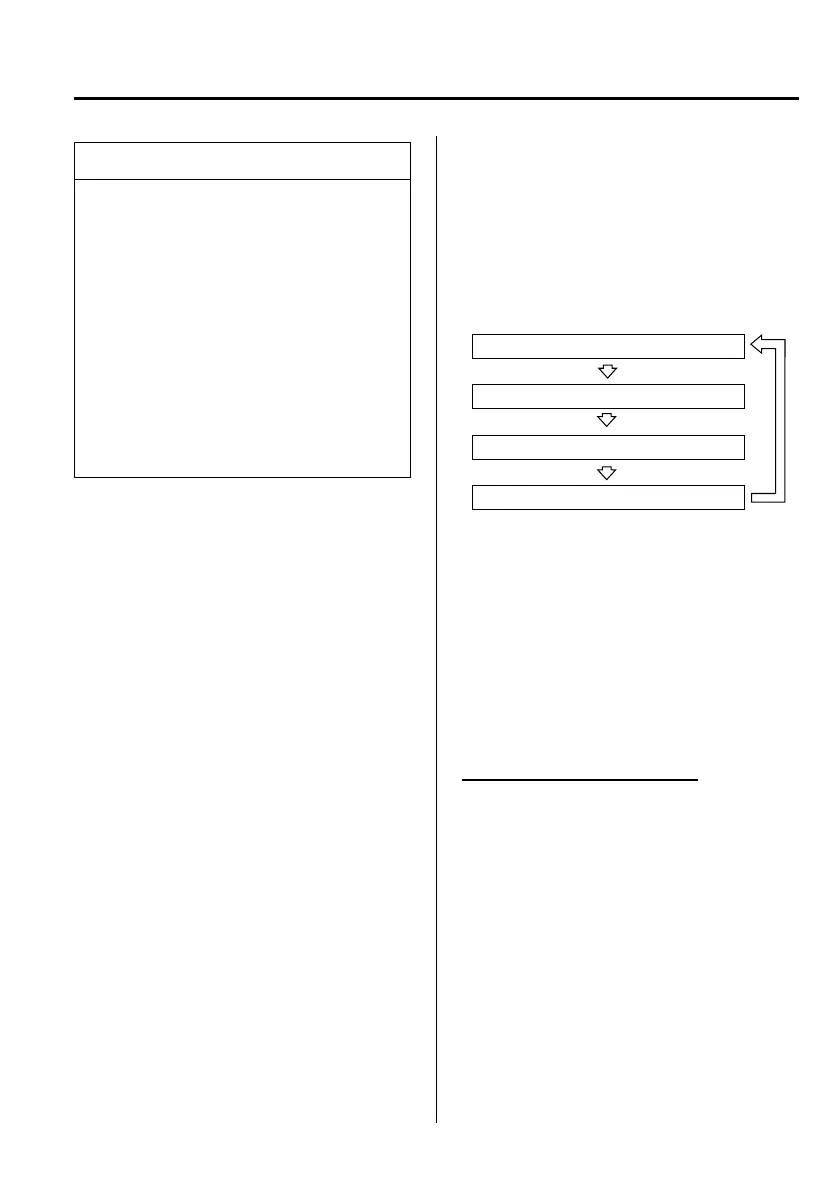
Press the INFO button to change the
display mode.
Average vehicle speed mode
Distance-to-empty mode
Average fuel economy mode
Current fuel economy mode
If you have any problems with your trip
computer, consult an expert repairer, we
recommend an Authorised Mazda
Repairer.
Current fuel economy mode
This mode displays the current fuel
economy by calculati ng the amount of
fuel consumption and the dist ance
travelled.
Current fuel economy will be calculated
and displayed every 2 seconds.
Interior Comfort
Interior Equipment
6-63
í
Some models.
Mazda5_8DF6-EI-13J_Edition7 Page257
Thursday, March 9 2017 8:35 PM
Form No.8DF6-EI-13J



 To Next Page