Installation
5
Setting the paper size and folding
position.
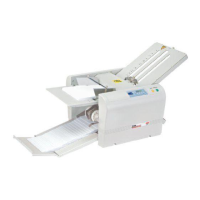
Open the paper guides by loosening
the 2 screws and push towards the
sides.
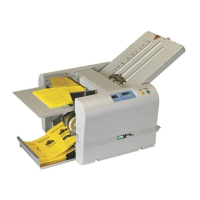
Move the paper guides to the edge of
the paper. Tighten the screws.
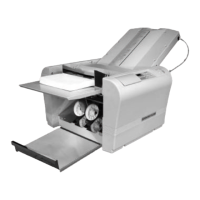
Press down the paper guide and insert
paper as far as possible.


 To Next Page