User’s manual
SEEDER MONITOR MCK 800
15
6. Programming
6.1 Programming the working width
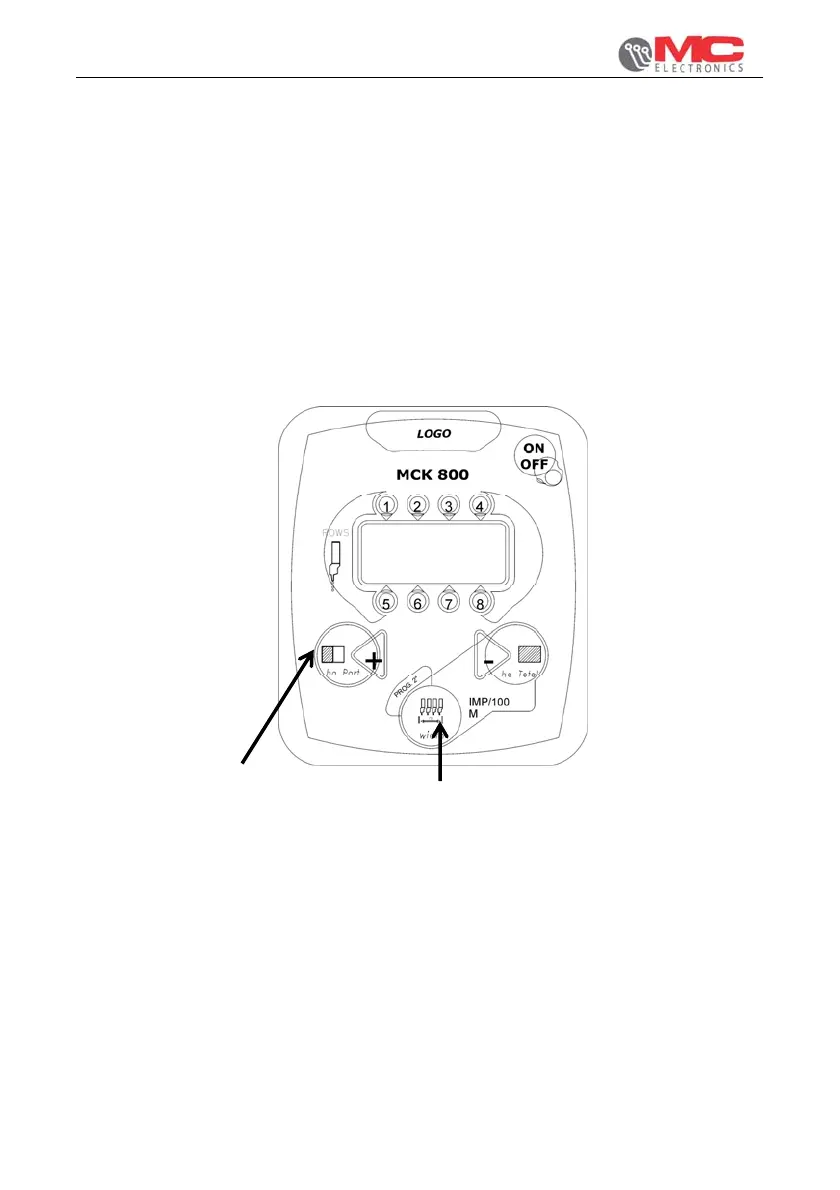
To program the working width press “width - PROG” key (see ref. B page12) and hold
it pressed until letter “L” starts flashing on the display. Keeping “width - PROG” key
pressed, hold down also “+” key (see ref. A) to increase or “-” key (ref. C) to decrease
the displayed value, until the desired value is obtained (expressed in metres and
centimetres, from 1.00 to 9.90 metres).
Picture 3 shows an example of working width programming.
FIRST STEP: PRESS THE KEY
AND HOLD IT PRESSED UNTIL
THE END OF PROGRAMMING
SECOND STEP
Figure 3


 To Next Page