User’s manual
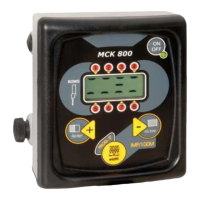
SEEDER MONITOR MCK 800
8
Connect the signal cable to the junction box (B) placed on the seed drill;
connect the speed sensor (VEL) and the photocells (D);
connect the supply cable (F) of the Computer to the battery of the vehicle;
connect the RED wire to the positive pole (+) and the BLACK wire to the
negative pole (-).
2.2 How to install the sensors
The MCK 800 Computer is equipped with 2 types of sensors:
speed sensor (always present) cod. 481;
photocell sensor (always present) cod. 4228, 10FOT-1269, 10FOT-
SEMIMINUTI-0001.
2.2.1 How to install the speed sensor D.18 cod. 481
You can install the speed sensor (cod. 481) anywhere there is a mechanic
movement, in the wheel (front or rear wheel) of the agricultural vehicle/machine, or by
making a metal reference which sticks out of at least 7 mm (Figure 1 – ref. <C>). We
recommend to install the speed sensor inside the wheel, by placing the head sensor
opposite the rim bolts (Figure 1 – ref. <A>).
Adjust the distance between the sensors and the bolts to about 2/3 mm (Figure 1 –
ref. <B>).
Fix the sensor holder bracket (supplied) to a fixed part of the vehicle/machine so that
it is well fixed to the structure. Lock the sensor to the bracket with the nut and lock
nut.
!
Warning
We recommend to protect the sensor cable with a rubber sheath.


 To Next Page