User’s manual
SEEDER MONITOR MCK 800
16
6.2 Programming the “C” parameter (pulses / 100 metres)
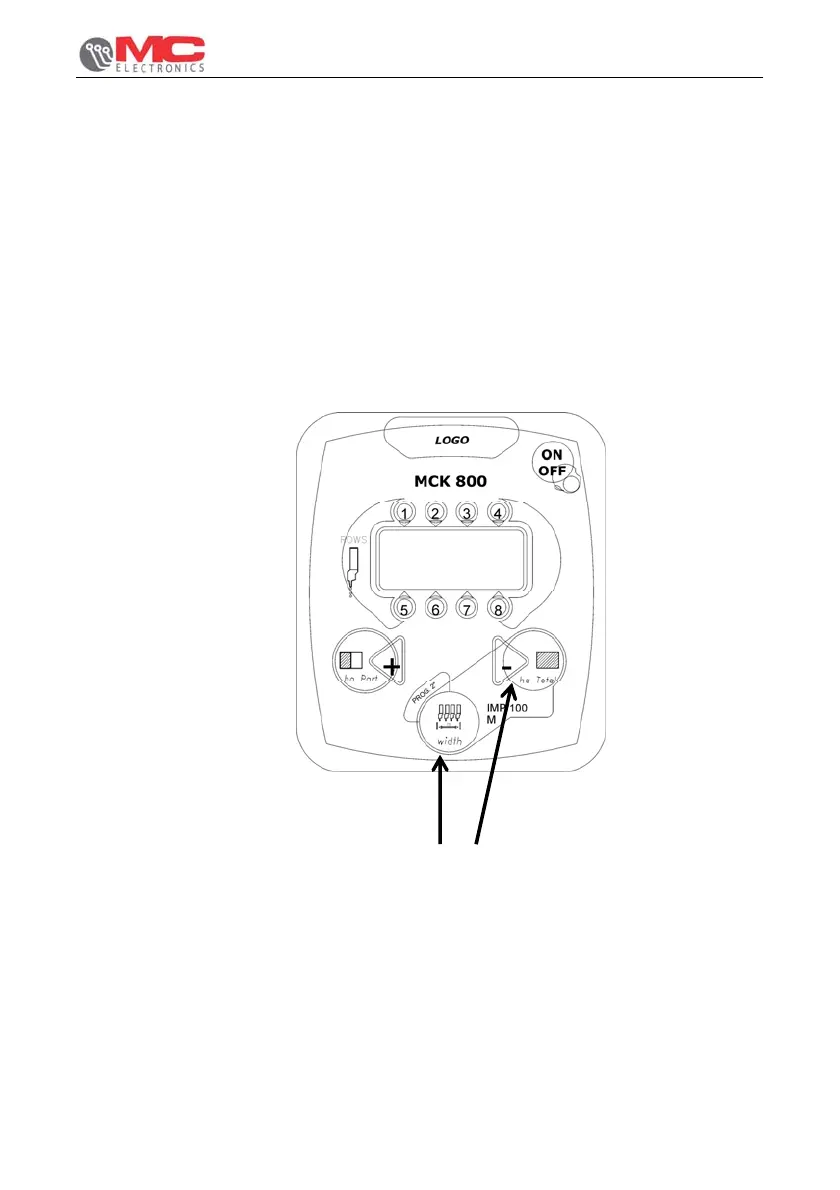
To program “C” parameter press “width - PROG” (ref. B page 12) and “ha Total” keys
(ref. C) simultaneously and hold them pressed until the display shows the current
parameter value, preceded by letter “C” flashing; then release keys.
Press “+” key (ref. A) to increase or “-” key (ref. C) to decrease the displayed value,
until the desired value (from 20 to 999 pulses / meter) is obtained.
Press “width - PROG.” key for about 1 second to quit programming.
Picture 4 shows an example of „C“ parameter programming.
KEYS TO BE PRESSED
Figure 4


 To Next Page