14
MC Technologies Router program
Settings for the back-up mobile connection via SIM2.
1.5.3 Back-up SIM (SIM2)
Back-up SIM (SIM2)
The same settings apply here as for Item 1.5.2 SIM (SIM1) (see Page 13).
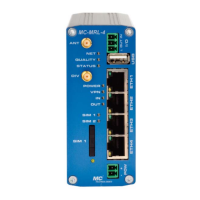
The second SIM card (SIM2) is located inside the router housing. To insert or remove the
SIM2 card, remove the back panel of the router.
1.5.4 SMS Configuration
Controlling the mobile router by SMS
Under "SMS Control", click Enabled. Define an SMS password for security.
The password can comprise up to 7 alphanumeric characters.
SMS Syntax
Commands are inputs using the following SMS syntax:
#<password>:<command>
<password> = ('A'-'Z', '0'-'9') // Up to 7 alphanumeric characters
<command> = SET:<sub_cmd> // Set command (ON)
<command> = CLR:<sub_cmd> // Clear command (OFF)
<sub_cmd> = OUTPUT // Output set to ON/OFF
<sub_cmd> = IPSEC // IPsec VPN 1 ON/OFF
<sub_cmd> = IPSEC:n // IPsec VPN n ON/OFF, n={1..x}
<command> = SEND:STATUS // Send a status SMS to the caller
<command> = RESET // Reset all alarms
<command> = REBOOT // Router reboot
Example:
Turn on the I/O interface output. The (example) password is: "pw1212".
The SMS sent to the router's call number should then have the following content: #pw1212:SET:OUTPUT.


 To Next Page