LED Status Description
Response Port Speed Green
Amber
O
The port speed is 1000 Mbps.
The port speed is 100 Mbps.
The port speed is 10 Mbps.
Response Port Link Green
O
The link is connected.
The link is disconnected.
10/100/1000 Monitoring
Ports Speed
Green
Amber
O
The port speed is 1000 Mbps.
The port speed is 100 Mbps.
The port speed is 10 Mbps.
10/100/1000 Monitoring
Ports Link
Green
O
The link is connected.
The link is disconnected.
Flash Green
O
Activity on external compact ash.
No activity on external compact ash.
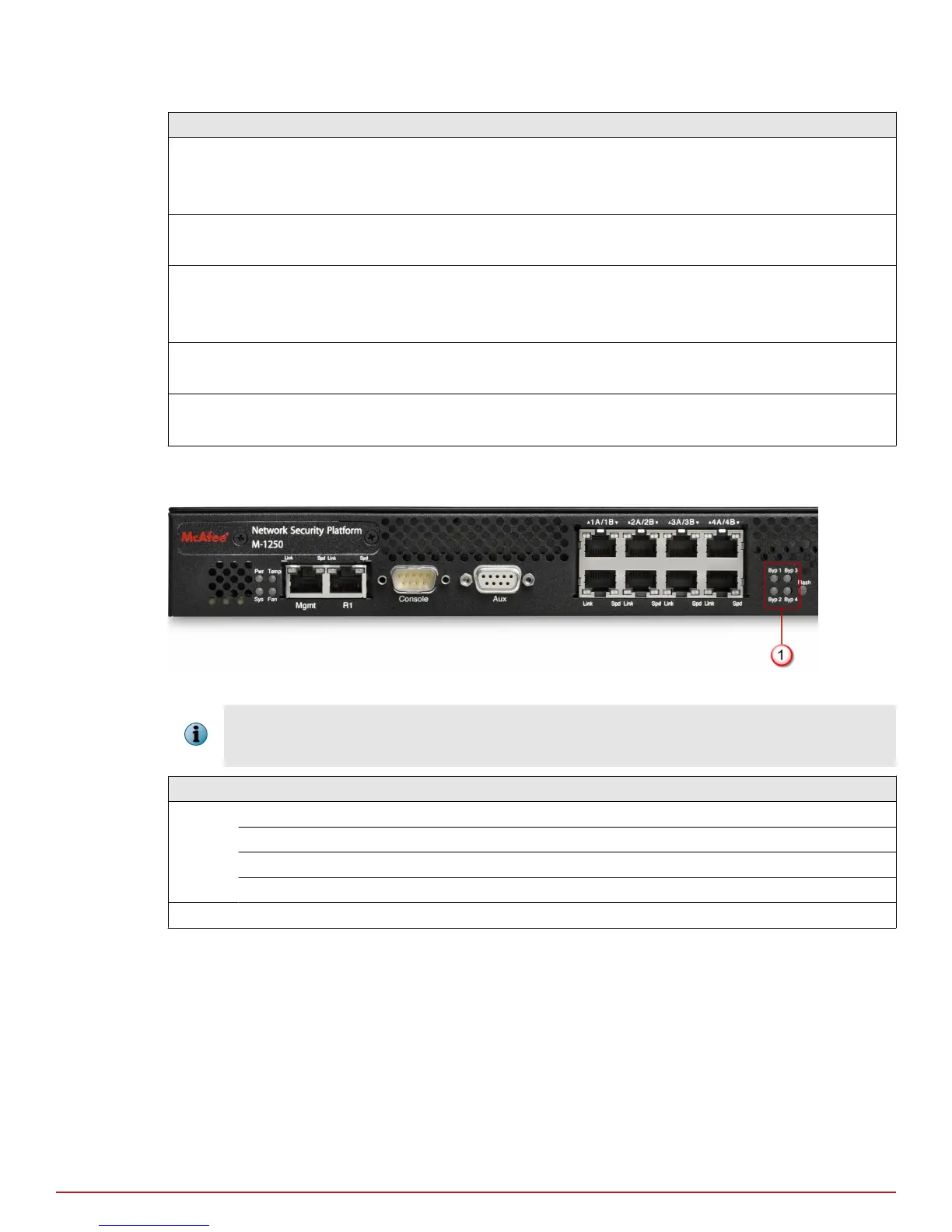
The image and table that follows describe the front panel LEDs that indicate normal or bypass modes on the
M-1250/M-1450.
Figure 1-4 LEDs on the front panel that indicate normal / bypass status
These LEDs are used during both Inline/Fail-open and Inline/Fail-close modes of operation. However, they also
remain green when the Sensor is used in tap or SPAN modes, regardless of whether trac passes through the
Sensor or gets dropped.
Status Operation Description
Green In-line, Fail-open The Sensor port pair is in-line, receiving normal trac.
In-line, Fail-close The Sensor port pair is in-line, receiving normal trac.
Tap or SPAN The Sensor port receives normal trac.
Tap or SPAN The Sensor port receives normal trac. Trac is dropped.
OFF Bypass The Sensor port pair is not in-line and trac is bypassed.
1
Introducing Network Security Sensors
Physical description of the M-1250/M-1450 Sensor
10
McAfee
®
Network Security Platform M-1250/M-1450 Sensor Product Guide



 To Next Page