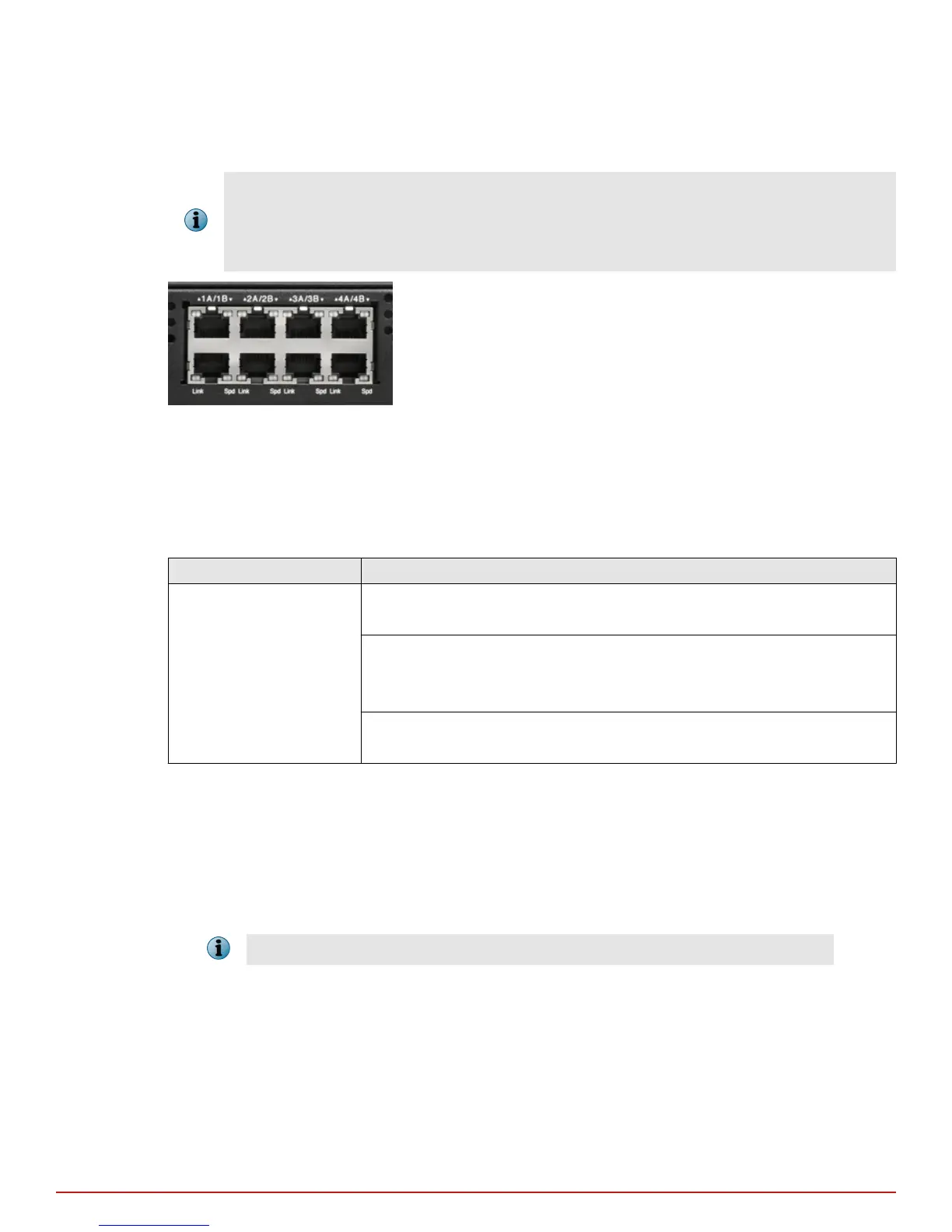
• 3A and 3B
• 4A and 4B
• You cannot congure, for example, 1A and 2A to work together as a pair.
• Since monitoring ports are internally wired, when you disable one of the ports in a pair, the
corresponding port is also disabled.
Figure 4-1 Monitoring ports of an M-1450
Default Monitoring port speed settings
Make sure that the switch/router ports connected to the Sensor monitoring ports match the Sensor
conguration.
Table 4-1 Default Monitoring port speed settings
Monitoring Ports Operating Mode Speed/Duplex Setting
10/100/1000 ports SPAN Auto-negotiation is OFF;
Speed and Duplex are congurable
Tap Auto-negotiation is ON;
Speed is congurable;
Duplex is always half
In-Line Auto-negotiation is OFF;
Speed and Duplex are congurable
Cable types for routers, switches, hubs, and PCs
This section describes the types of cables that you require to connect the Sensor to other network devices:
• Use a crossover Ethernet RJ45 cable to connect a router port to 10/100/1000 Monitoring ports.
• Use a straight-through Ethernet RJ45 cable to connect a switch/hub port to 10/100/1000 Monitoring ports.
• Use a crossover Ethernet RJ45 cable to connect a router port to PC to the Sensor Management port.
You should also use a crossover Ethernet RJ45 cable to connect a PC to the Sensor monitoring port.
4
Attaching cables to the Sensor
Cable Monitoring ports
22
McAfee
®
Network Security Platform M-1250/M-1450 Sensor Product Guide



 To Next Page