CARER/FAMILY: How to download the mobile app
mcarewatch.com.au
13
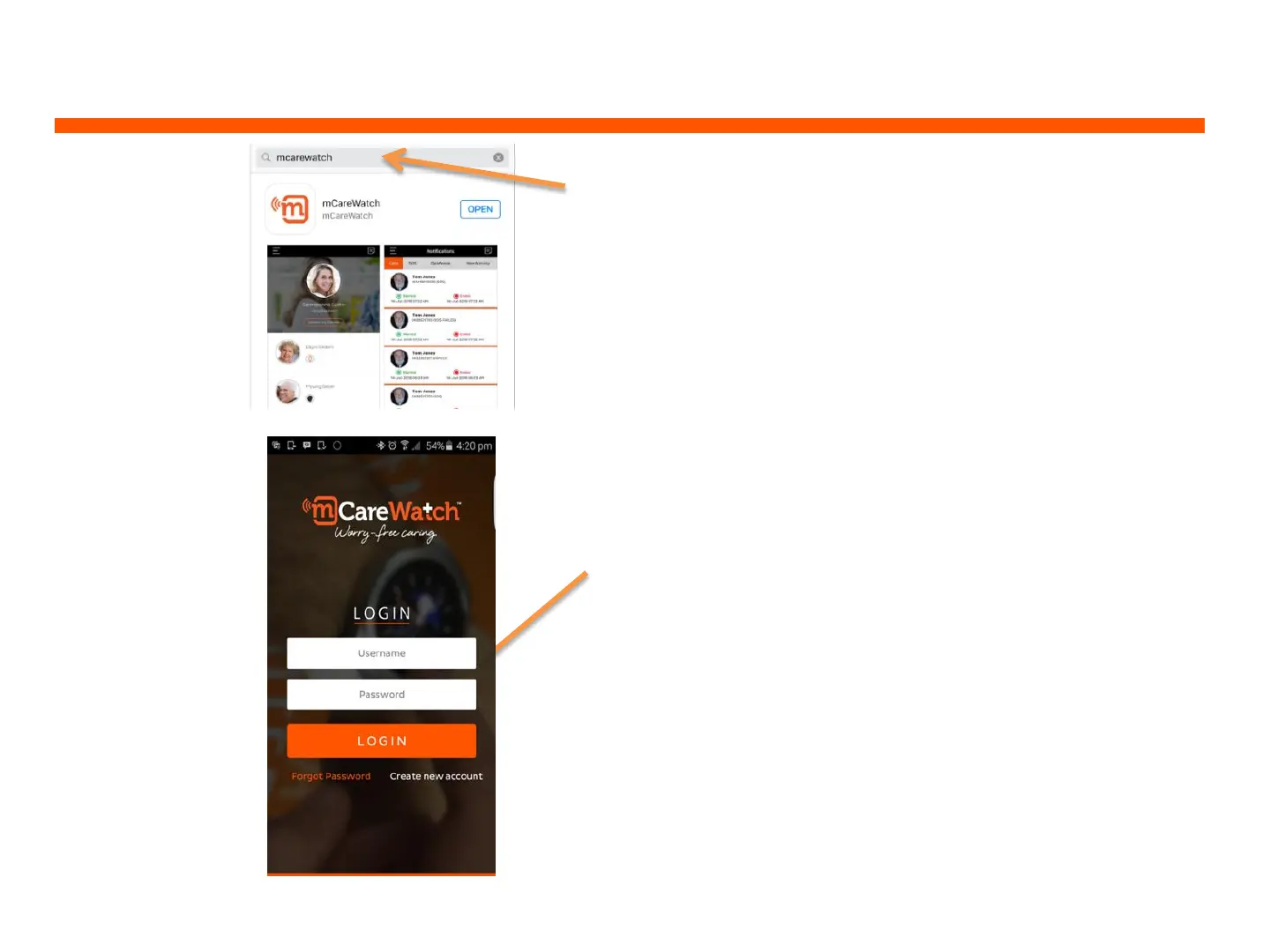
1. The mobile app is available for Android
smartphones from the Google Play store
and for iPhones on the APP Store by
searching “mCareWatch”.
iPhone: requires iOS9.0 or later
Android: requires Android 4.0 and up
2. Once mobile app is downloaded on
your smartphone – click Open and enter
the username and password provided and
press ‘LOGIN’
3. When you ‘LOGIN’ the app will display the
primary carer’s name and to connect to the
watch – click on the watch wearer’s name


 To Next Page