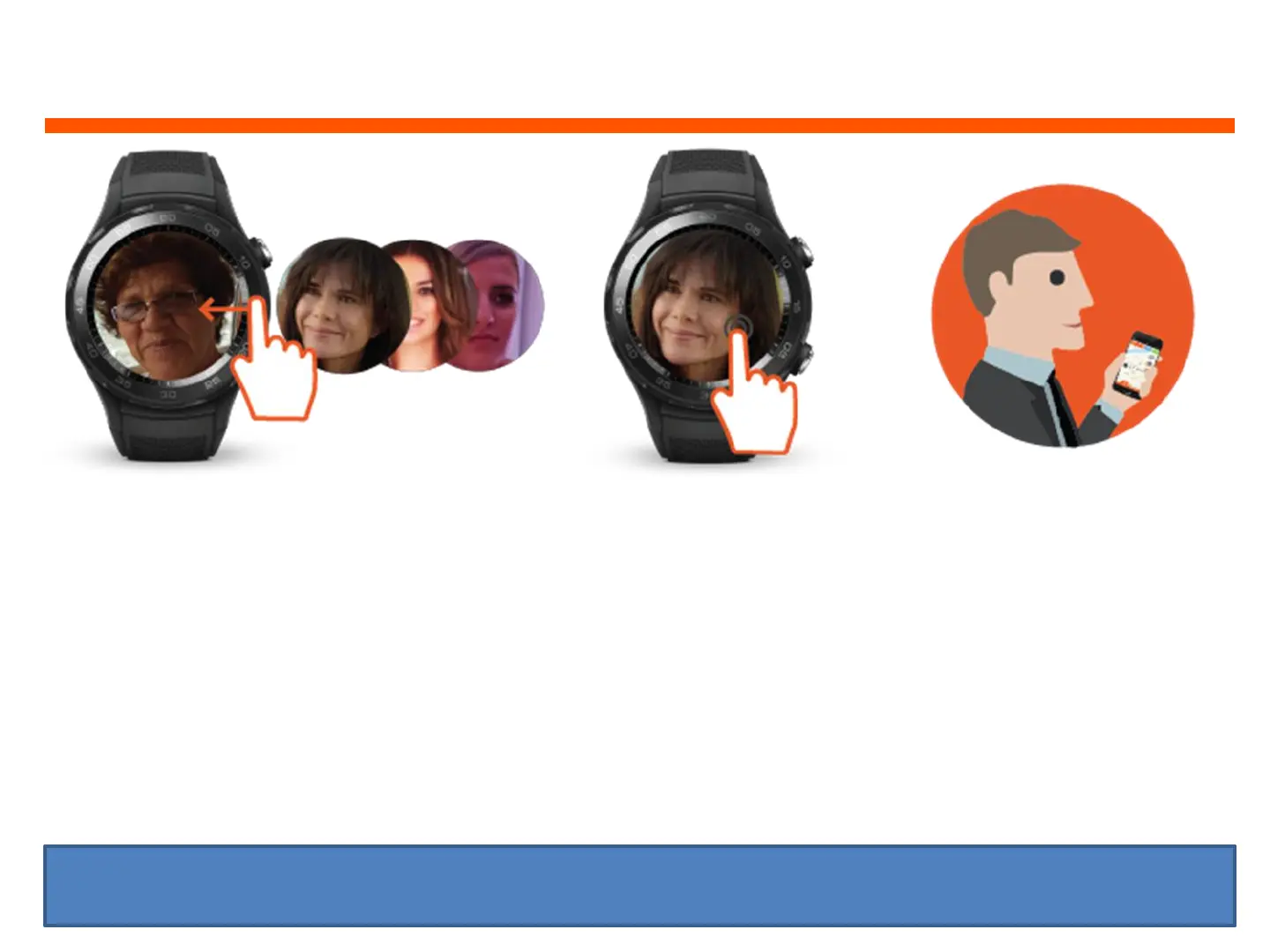
WEARER: How to call Speed Dial Contact
6
1. When watch face is displayed,
swipe the watch screen from
right to left to see your Family
Speed Dial contact photo/name
2. To call your Speed Dial
Contact, press and hold
down the photo/name
for 3-5 seconds and the
Watch will automatically
dial that Speed Dial
contact’s number
3. Speed Dial Contact will
receive call from the
watch’s mobile number.
When the Speed Dial
contact answers the call,
it will open up a two way
call with the watch
wearer
TIP: you can save up to 6 Speed Dial Contact photos and numbers (via the web platform)


 To Next Page