Prepare
Push the power indicator to show remaining battery capacity.The battery is equipped
with a charge-level indicator panel which indicates its’ charge condition. This charge-level
indicator panel consists of 4 LEDs on the battery. Press and hold the charge indicator
button on the battery to actuate the charge level indicator. The charge level indicator LEDs
go out after releasing the button. The battery’s charge level can be checked either when
the battery is tted on the machine or removed from the machine.
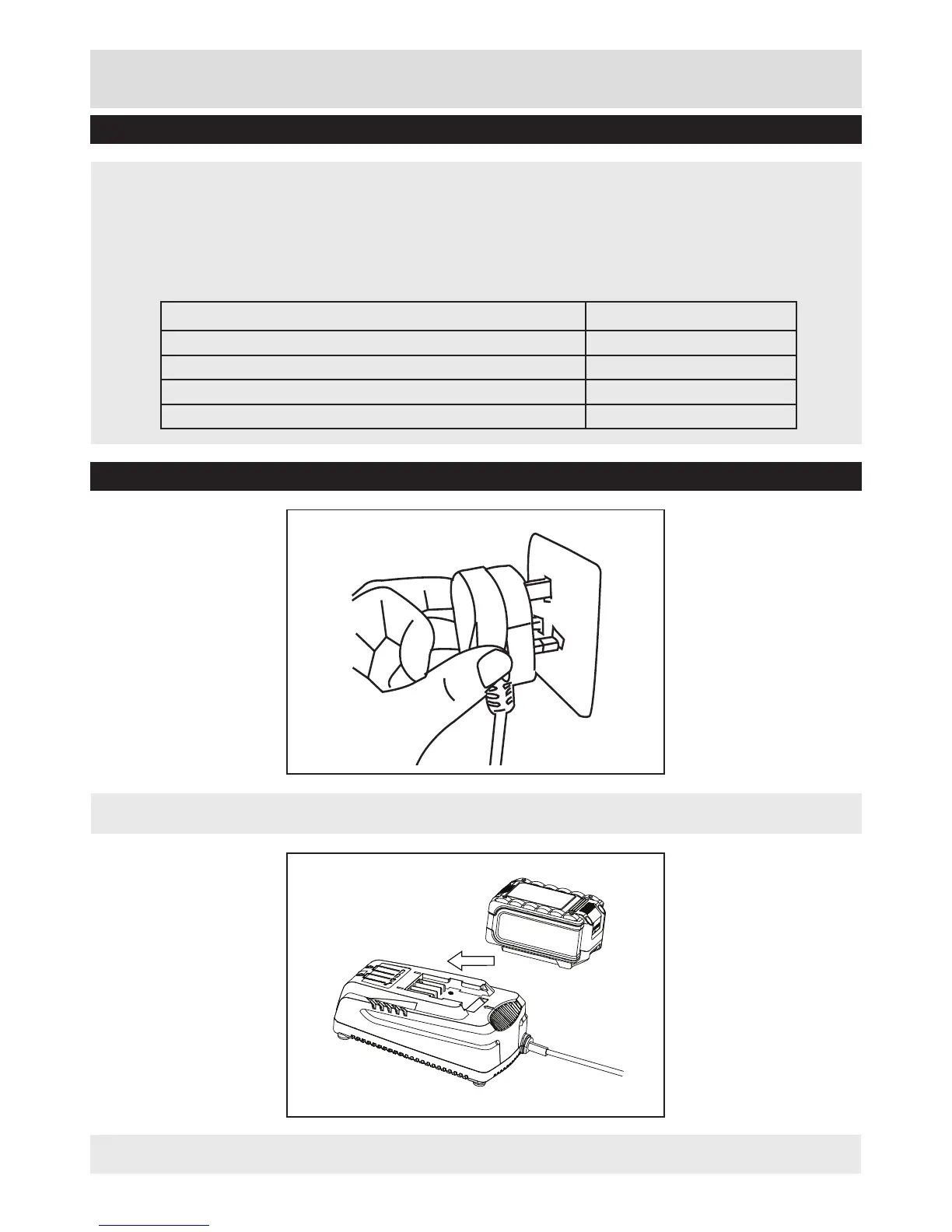
• Plug the charger into an appropriate AC power outlet.
• Mount the battery pack onto the charge by sliding into the guide rails.
Check Battery Capacity
Battery Charging
LED indicators on battery Battery Capacity
Continuous lighting of 4 LEDs (inc 2 green) Fully charged
Continuous lighting of 3 LEDs (inc 1 green) ≥ 50%
Continuous lighting of 2 LEDs (orange & red) ≥ 25%
Continuous lighting of 1 LED (red only) ≤ 25%. Recharge required.


 To Next Page