Troubleshooting
General Troubleshooting (continued)
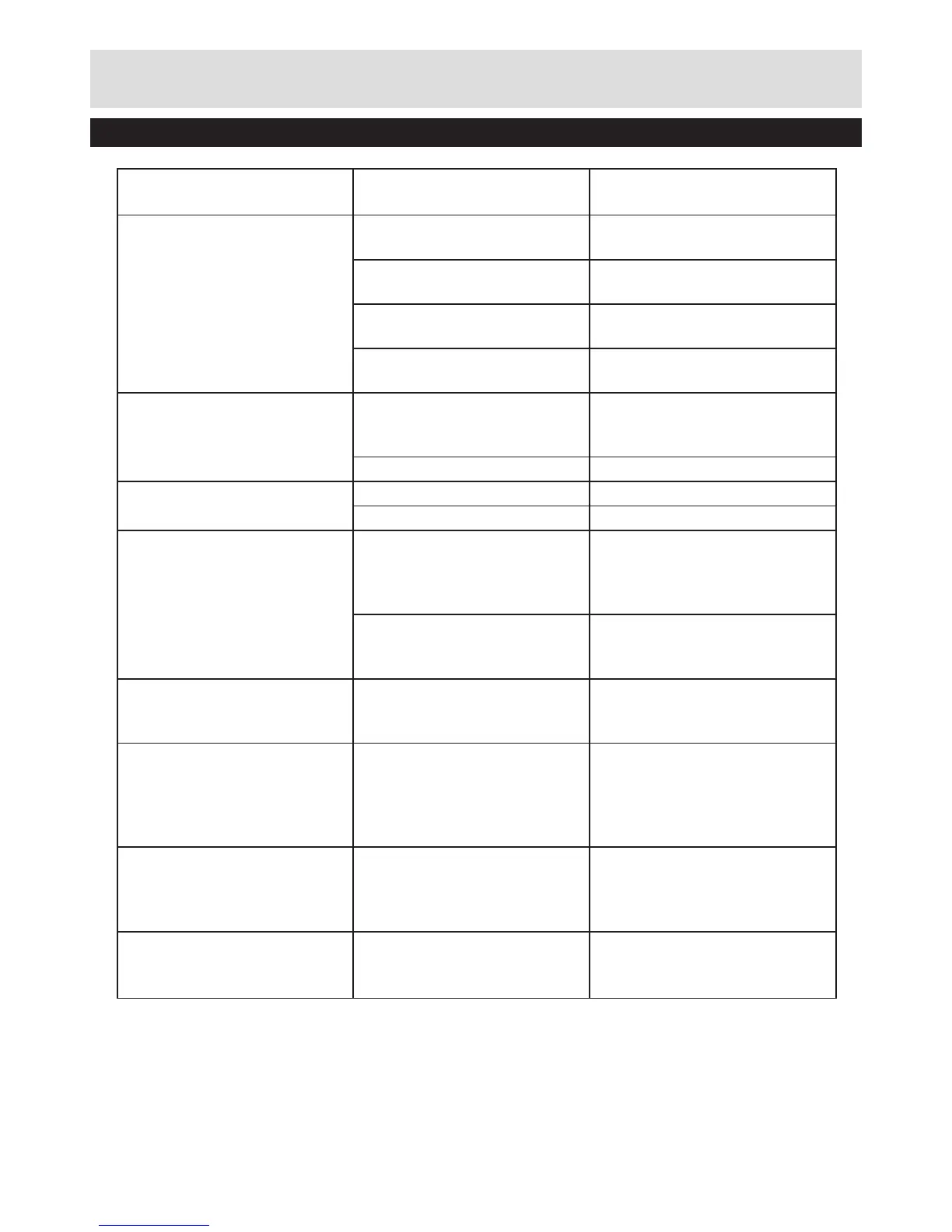
Fault Possible Cause Solution
Area of cut (battery duration)
not large enough
Height of cut too low Increase height of cut and
walk slower
Grass too high Increase height of cut and
walk slower
Grass wet or damp Wait until grass is dry and walk
slower
Grass is dense Increase height of cut, walk
slower and cut more frequently
Cutting blade not rotating
while garden product
switched on
Cutting blade obstructed Switch off garden product
Clear obstruction (always wear
gardening gloves)
Blade nut/bolt loose Tighten blade nut/bolt (17 Nm)
Excessive vibrations/noise Blade nut/bolt loose Tighten blade nut/bolt (17 Nm)
Cutting blade damaged Replace the blade
No charging procedure
possible
Battery contacts
contaminated
Clean the battery contacts
(e.g. by inserting and
removing the battery several
times) or replace the battery
The battery is defective, due
to a disconnection in the
battery (individual cells)
Replace the battery
The charge control LED do
not light up after inserting the
mains plug into the socket
Mains plug of battery charger
not plugged in (properly)
Insert mains plug (fully) into
the socket outlet
Socket outlet, mains cable or
battery charger defective
Check the mains voltage
and if necessary, have the
battery charger checked by an
authorized customer service
station
The Green LED ashing
rapidly on the charger
Battery in a low voltage
status and needs a recovery
charge
Leave the battery charging for
an extra 30mins, the battery
will awaken and the charger
will complete charging
No Charging possible
ashing red LED
Charging paused - Battery
too hot or too cold
Allow battery to rest at room
temperature until charging can
resume


 To Next Page